

PS5コントローラー:簡単なPCペアリングガイド
May 13,25(11 か月前)
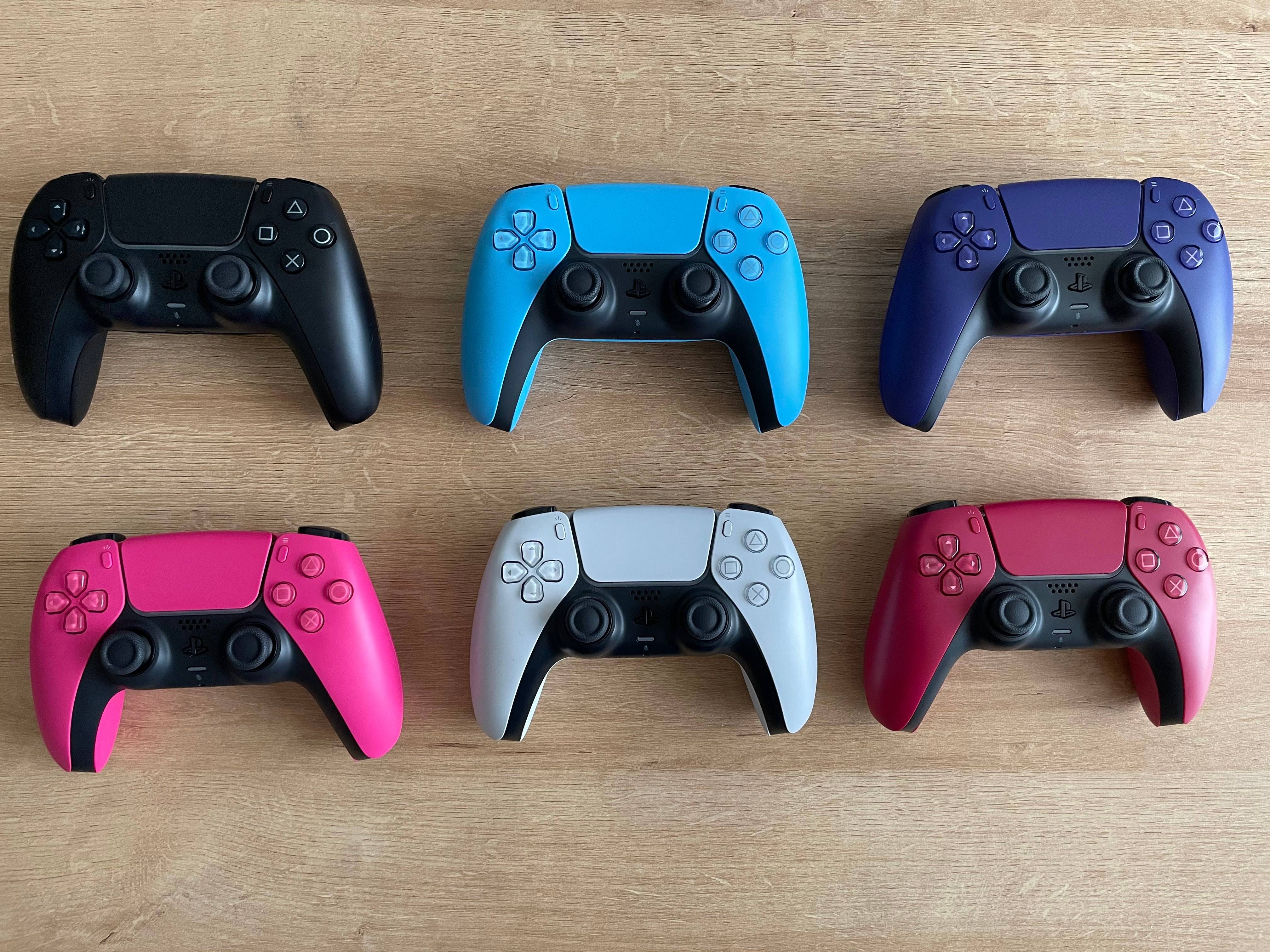
Sony Dualsenseは、革新的な機能、優れたグリップ、人間工学に基づいたデザインのために最高のPS5コントローラーとして際立っており、 PlayStation 5でのゲームエクスペリエンスを向上させています。デュアルセンスと最高のゲームPCをペアリングすることは、過去にDualShock 4で挑戦的だったかもしれませんが、DualSenseは堅牢なPCサポートを提供し、最高のPCコントローラーに配置します。以下に、デュアルセンスをPCに接続する簡単なプロセスをご案内します。
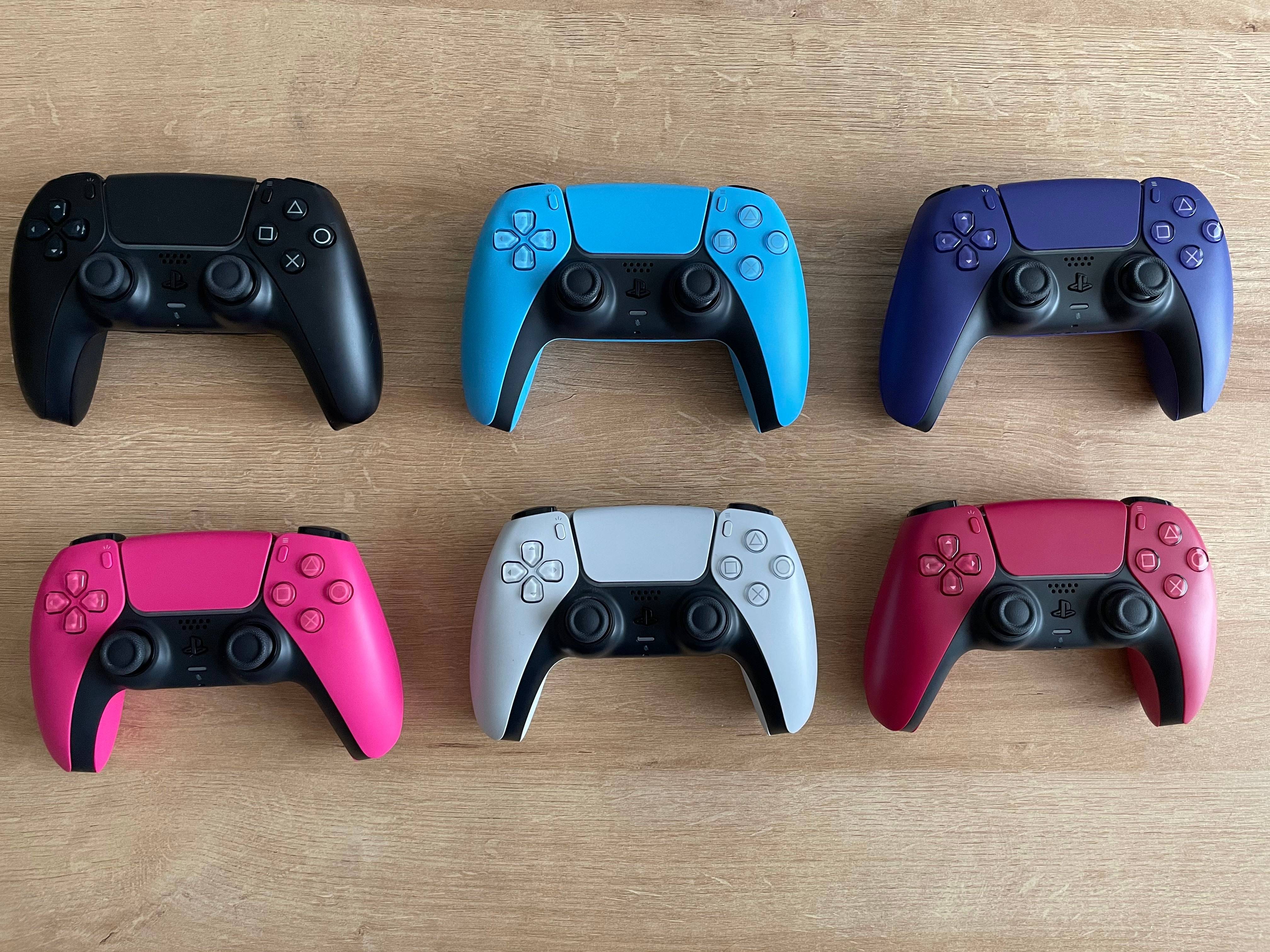
PS5コントローラーとPCをペアリングするために必要なアイテム:
- データ対応のUSB-Cケーブル
- PC用のBluetoothアダプター
特にスタンドアロンコントローラーにはUSBケーブルが付属しておらず、すべてのPCがBluetooth機能を備えているわけではないため、DualsenseをPCに接続すると、最初は難しいように思えるかもしれません。デュアルセンスとPCとペアリングするには、データ転送をサポートするUSB-Cケーブルが必要です。これは、PCにUSB-Cポートがある場合はC-To-Cケーブル、または従来の長方形のUSBポート用のUSB-C-To-Aケーブルです。
PCにBluetoothがない場合は、Bluetoothアダプターで簡単に追加できます。これらには、PCIEスロットバージョンからシンプルなUSBポートプラグインまで、さまざまな形式があります。
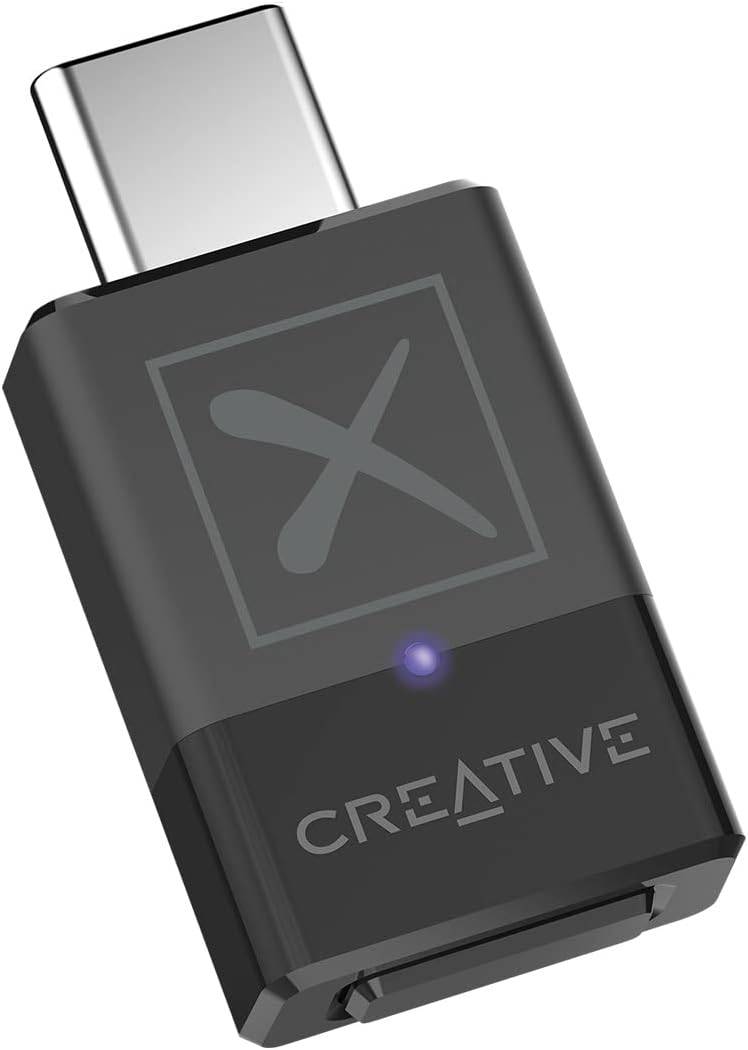
私たちのトップピック
クリエイティブBT-W5 Bluetoothトランスミッター
Amazonでご覧ください
USBを介してPS5コントローラーをPCにペアリングする方法
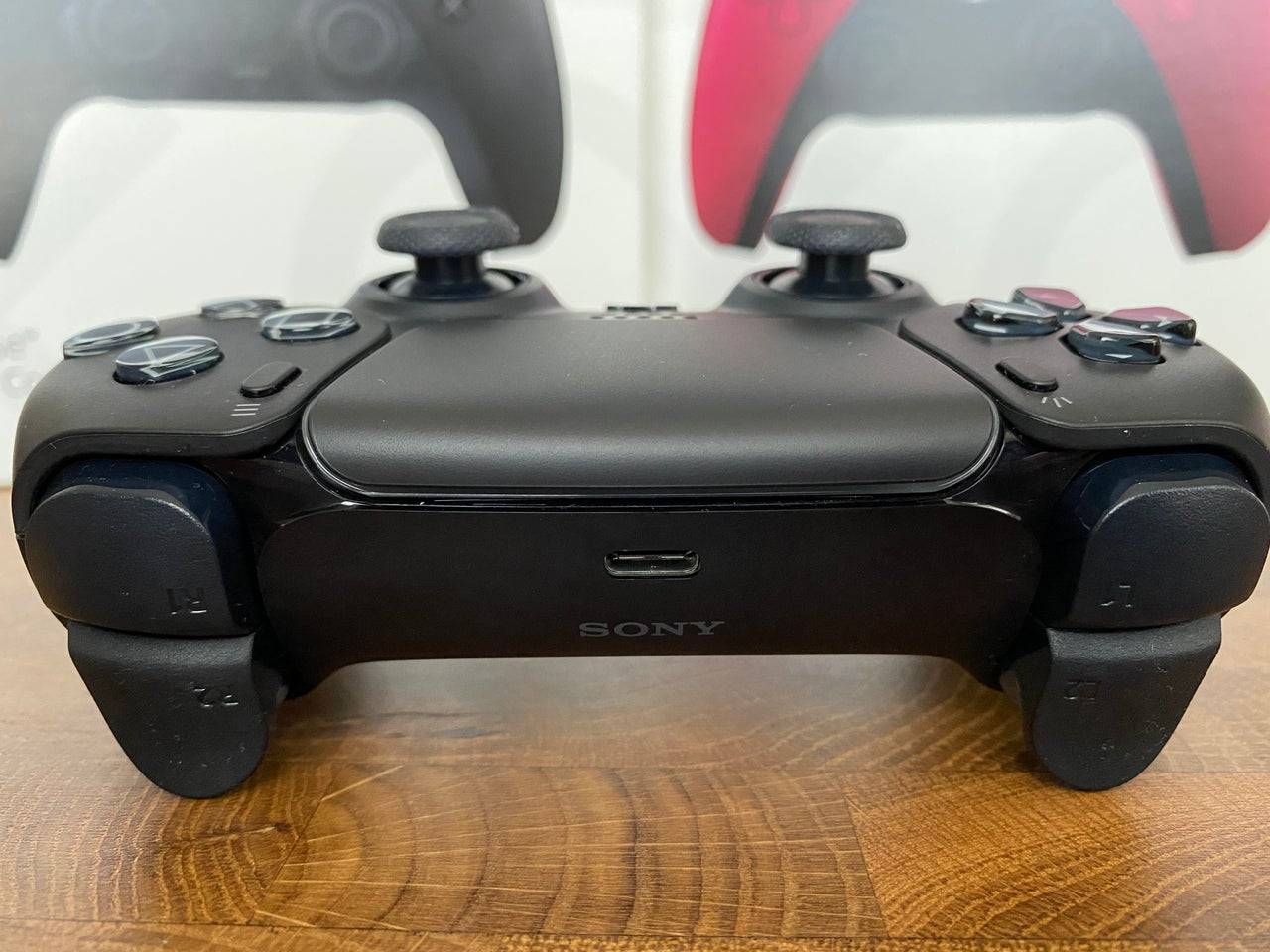
- 選択したUSBケーブルをPCの開いたポートに差し込みます。
- ケーブルのもう一方の端をデュアルセンスコントローラーのUSB-Cポートに差し込みます。
- Windows PCがDualSenseコントローラーをゲームパッドとして認識するのを待ちます。
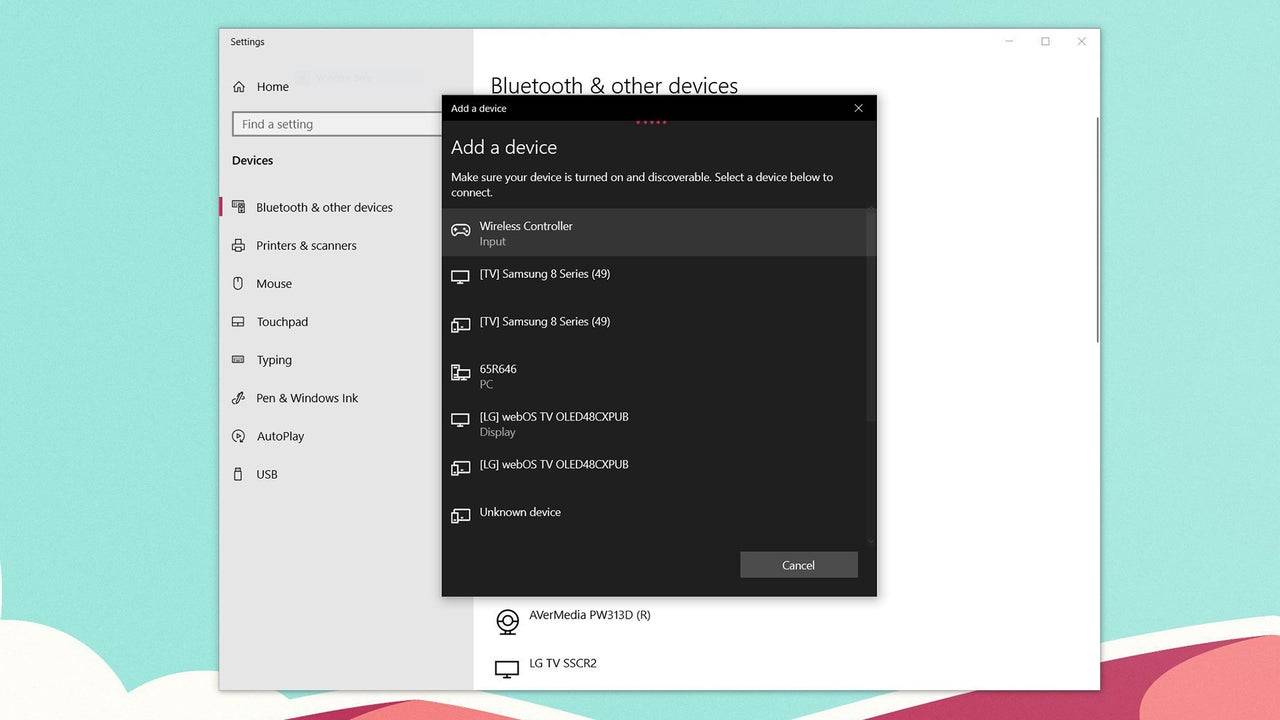
PS5デュアルセンスコントローラーをBluetoothを介してPCとペアリングする方法
- Windowsキーを押し、「Bluetooth」と入力し、メニューからBluetoothやその他のデバイスを選択して、PCのBluetooth設定にアクセスします。
- [Bluetoothまたはその他のデバイスの追加]を選択します。
- ポップアップウィンドウでBluetoothを選択します。
- デュアルセンスコントローラー(切断されて電源を切った状態)で、PSボタンを押し続け、タッチパッドの下のライトバーが点滅し始めるまで(D-PADの隣)ボタンを作成します。
- PCで、利用可能なBluetoothデバイスのリストからDualSenseコントローラーを選択します。
発見する
-
 Boris and the Dark SurvivalJoey Drew Studios の邪悪な深みを、一人狼として生き延びろ。すべての主要コンテンツアップデートが含まれています!• 「影の交響曲」• 「解放された者たち」• 「狼の試練」影の交響曲:「影の交響曲」アップデートでは、暗いスタジオに幽玄で美しいメロディが響き渡ります。スタジオを探索し、ボリスのための新しいホラー、ミッション、音楽、キャラクター、秘密、ダンスムーブと出会いましょう。さらに隠されたコンテンツを発見してください!新たにアンロック可能なキャラクターが登場:狂気の作曲家サム・ロ
 -
 Extra Lives脳みそなしのゾンビと、心臓のない人間に満ちた世界でどれくらいの時間生き延びられるか試してみよう!8つのライバル陣営に点在する200人以上のキャラクターとの独自の関係を構築し - 各陣営には問題は何であり、どのように解決すべきかというそれぞれの信念がある。街の隅々まで秩序を取り戻すための旅路で50以上の異なる場所を探索しよう。道中にはあなたの役に立つ何百ものインタラクティブなオブジェクトが用意されている。Wrestling Revolutionシリーズの中でも平均を上回る戦闘システムにより、敵を引
 -
 LostMiner: Build & Craft Gameダイナミックな世界で採掘、クラフティング、クリエイティブなブロック建築を楽しむサンドボックス型サバイバルアドベンチャー。ユニークな2D/3Dサイドビューのゲームプレイと鮮明なピクセルグラフィックスを組み合わせ、採掘、クラフティング、探検を融合させたサンドボックス体験に潜り込みましょう。多様なバイオームと隠された秘密で溢れる、完全に破壊可能で手動生成されたピクセルの世界で果てない冒険に出かけよう!ブロックを設置して世界を変え、住居を建設し、作物を栽培し、動物を飼い、資源を集め、道具を作り、釣りを楽
 -
 Batman: The Enemy WithinBruce Wayne と Batman は危険な新役割に放り込まれる。バットマン:テルタイル・シリーズのクリエイターによる新作エピソードで、Bruce Wayne と Batman は二人とも危険な新たな正体を手に入れなければならない。ライドラーがゴッサムシティを悩ませるために姿を表したが、彼の過酷なゲームはまだ来たるべき大惨事をほのかに示しているだけだ。粘着質な連邦捜査官が登場し、幼いジョーカーが再登場する中、Batman は不安定な同盟を築きながら、Bruce は嘘に満ちた険しい道を進んで
 -
 True Fear: Forsaken Souls 1真に引き込まれるホラー脱出ゲーム体験。 True Fear:Forsaken Souls トリロジーの第一弾として、暗黒のミステリーにあふれた冷ややかな恐怖冒険を始めましょう。 Holly Stonehouse の役割を担い、行方知れずの妹を探し出し、母親の謎めいた死の真相を解明して圧倒的な闇から逃げ出しましょう。 注意: ゲームは1時間以上のデモを提供していますが、残りの70%の内容にアクセスするには購入が必要です。 ★ 姉の家を検索し、母の屋敷を訪れ、無人の病院を探検する ★ マップで
 -
 NumXNumXは、単純な立方体のキャラクターを操作して楽しむ多彩なミニゲームが集まった活気あふれるパーティーゲームです。NumXが再び登場!2年の時を経て、NumXは洗練されたエディションで帰ってきました。同じ部屋にいる友人とも、世界中のプレイヤーとも一緒にプレイしながら、定番のミニゲームをお楽しみいただいたり、新コンテンツを探索したりできます。また、新しいゲームモードも開発中で、ミニゲーム体験に新たな魅力をもたらします。レガシースキンや音楽トラックなど、昔から愛されるNumXオリジナルコンテンツも再
トップダウンロード




