

Home > Apps > Personalization > Always On Edge

| App Name | Always On Edge |
| Developer | Dubiaz |
| Category | Personalization |
| Size | 10.60M |
| Latest Version | 8.6.5 |
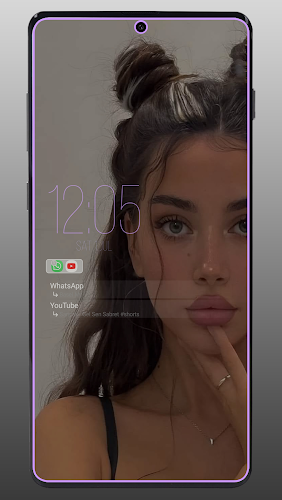
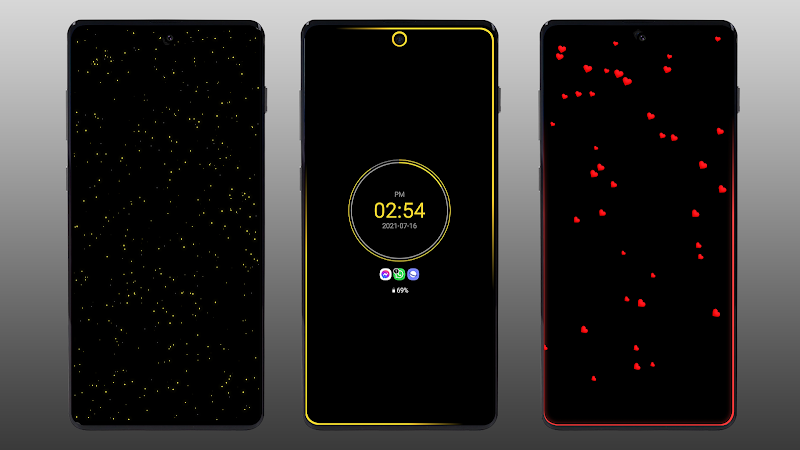
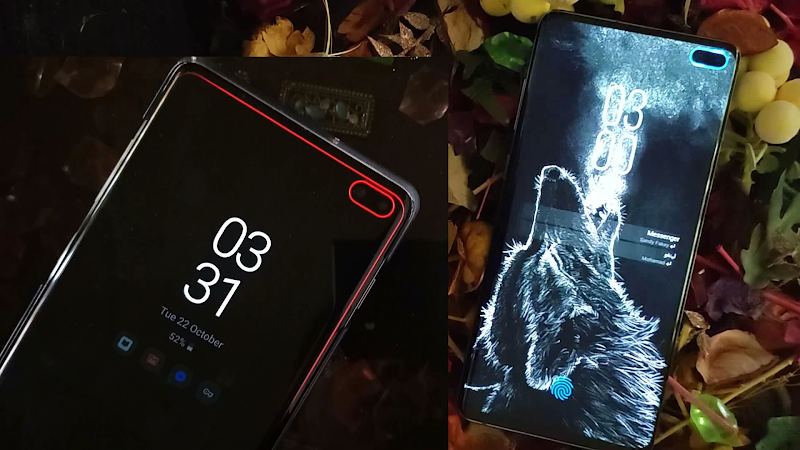


Always On Edge: LED & AOD elevates your smartphone by transforming the screen edges into vibrant light bands for notifications and events. Ideal for users who miss the classic notification LED or seek an aesthetically pleasing Always On Display, it combines functionality with striking visuals. Key Features: Customizable AOD: Tailor your lock screen with diverse clock designs, battery meters, and widgets, keeping essential info visible at all times. LED Notifications: Assign unique colors to different apps to easily identify alerts without unlocking your phone. Edge Lighting Effects: Dynamic visuals frame your screen during incoming alerts or while charging, making notifications stand out. Battery Friendly: Engineered for minimal power consumption, so your battery lasts longer while using these features. Simple Setup: Get started in minutes with an intuitive interface that lets you personalize edge lighting and AOD settings instantly. Download the app, allow required permissions, and dive into the options to shape your AOD and LED alerts to your liking. Transform your device's look and keep up with notifications in a visually engaging way!
Always On Edge: LED & AOD Features:
❤ Custom Notification LED: Assign specific colors and flash patterns for alerts from individual apps and contacts.
❤ Dynamic Edge Lighting: Experience unique light animations for calls, music, and other phone activities.
❤ Enhanced Always On Display: Access advanced AOD options and build a personalized lock screen layout.
❤ Live Wallpaper Collection: Select from animated backgrounds in categories like nature, romance, and tech, with adjustable colors and effects.
Frequently Asked Questions:
❤ Can I set different LED alerts for specific contacts? Yes, you can define custom lighting for each contact in your list.
❤ Is this app suitable for hearing-impaired users? Absolutely, it serves as an accessibility aid by providing visual alerts for those who are deaf or hard of hearing.
❤ What types of animated wallpapers are offered? The app includes multiple themes such as natural scenery, romantic visuals, and modern tech designs.
How to Use Always On Edge: LED & AOD
Download the App: Locate Always On Edge: LED & AOD in your phone's app store and install it.
Launch and Permissions: Open the app and approve any requested permissions for full functionality.
Personalize AOD: Navigate to settings to customize your Always On Display with preferred clocks, battery status, and other elements.
Configure LED Alerts: Adjust LED notification colors and patterns for different applications.
Customize Edge Effects: Set up edge lighting triggers for notifications and charging scenarios.
Fine-Tune Options: Optimize settings like notification icons, screen timeout, and power-saving modes to extend battery life.
Enjoy Your Setup: Revel in your personalized AOD and LED notification system that keeps you connected with style.
-
 Sonic Racing: CrossWorlds Characters and Tracks Revealed for Upcoming Closed Network Test
-
 Marvel Rivals Season 1 Release Date Revealed
-
 Announcing Path of Exile 2: Guide to Sisters of Garukhan Expansion
-
 RAID Shadow Legends: Mythical Champions Tier List Revealed
-
 Honkai: Star Rail Update Unveils Penacony Conclusion
-
 Best Model Kits for Adults in 2025: Ultimate Guide