


| App Name | Bubble Level PRO |
| Developer | Gamma Play |
| Category | Tools |
| Size | 5.00M |
| Latest Version | 2.7 |
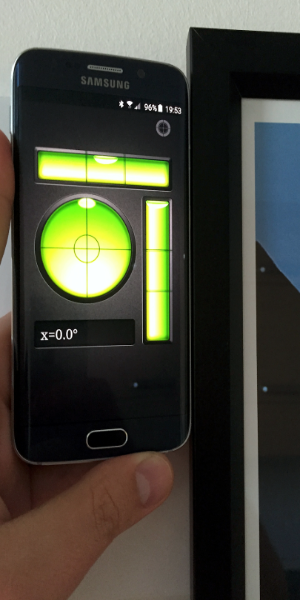
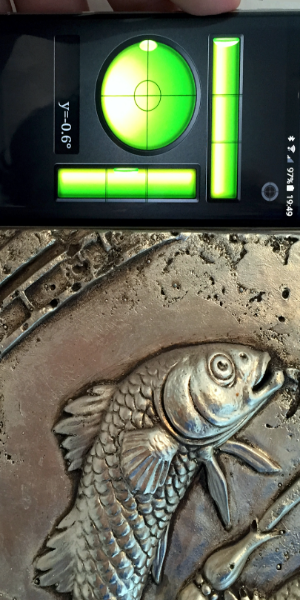
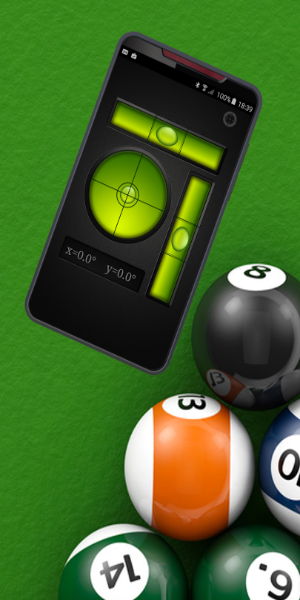


Bubble Level PRO is the definitive Android app for precisely determining if surfaces are perfectly level or plumb. This intuitive tool replicates traditional bubble levels, delivering accurate measurements. With features like the bull's eye level, you can confidently calibrate any surface.
Key Features of Bubble Level PRO:
Bubble Level Simulation
Bubble Level PRO mimics a physical bubble level, presenting data exactly as a traditional tool's bubble would.
Bull's Eye Level Feature
Beyond the standard level, the app also includes a bull's eye level simulator for finer, more precise leveling tasks.
Device Calibration
Users can recalibrate their device through a dedicated interface, guaranteeing accurate readings for every use.
Practical User Tips:
Versatile Applications
Bubble levels are essential in construction, woodworking, photography, and various fields to ensure objects are perfectly aligned.
Ideal for Home Projects
From hanging picture frames to assembling furniture, this app is a vital tool for any household.
Ensure Calibration for Precision
If you suspect any calibration drift, simply follow the in-app steps to recalibrate and maintain measurement accuracy.
What Is Bubble Level PRO?
Bubble Level PRO is an Android application dedicated to measuring whether horizontal or vertical surfaces are truly level relative to standard coordinate axes. Its reference axis is built upon the device's gyroscope sensor, ensuring it maintains correct spatial orientation and reliably resets after each measurement. This allows you to determine not only if a surface is straight or level, but also the exact degree of any deviation from the standard.
How Does Bubble Level PRO Work?
Bubble Level PRO operates on a simple principle: similar to a physical level with a liquid-filled vial, the app's digital bubble moves freely in all directions. When the device is not level, this bubble shifts within the horizontal or vertical indicator on screen.
Upon launching Bubble Level PRO, your device transforms into a portable level. Place this digital "tool" against any edge or surface you need to check, and the result appears instantly. If the surface is tilted, the bubble moves away from the central reference point. Simultaneously, an on-screen indicator displays the precise angle of inclination based on the bubble's displacement.
Therefore, to measure any surface's incline, simply open the Bubble Level PRO app, position your phone against the plane or edge, and immediately obtain the corresponding tilt angle on screen, thanks to the precise gyroscope-based sensing mechanism.
-
 Sonic Racing: CrossWorlds Characters and Tracks Revealed for Upcoming Closed Network Test
-
 Marvel Rivals Season 1 Release Date Revealed
-
 RAID Shadow Legends: Mythical Champions Tier List Revealed
-
 Honkai: Star Rail Update Unveils Penacony Conclusion
-
 Announcing Path of Exile 2: Guide to Sisters of Garukhan Expansion
-
 Best Model Kits for Adults in 2025: Ultimate Guide