

Home > Apps > Personalization > Graphionica: insta story maker

| App Name | Graphionica: insta story maker |
| Developer | Aleksei Baskakov |
| Category | Personalization |
| Size | 60.00M |
| Latest Version | 4.1.8 |
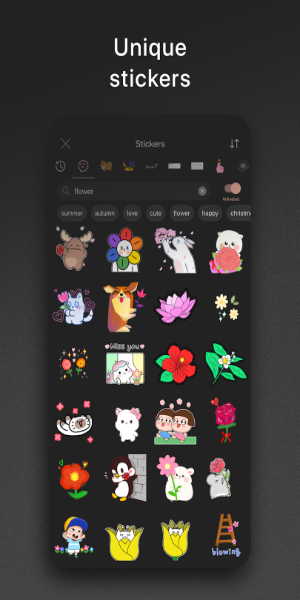
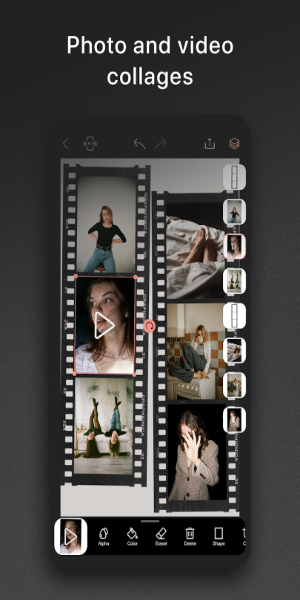
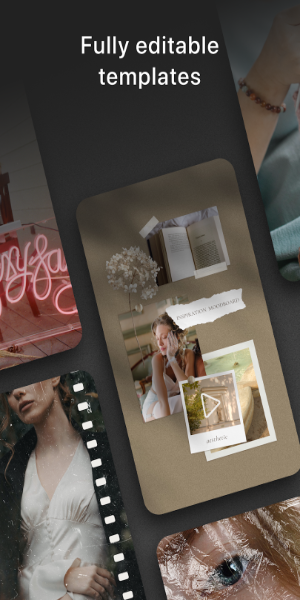


Meet Graphionica: Insta Story Maker, a stylish and free photo editor crafted to help you design eye-catching Instagram stories and social media content with ease. Create gorgeous collages, blend photos and videos, and enhance them with stickers, text, and custom backgrounds. With tools like background removal and editable templates, your Instagram feed will shine.
What Graphionica: Insta Story Maker offers:
Diverse fonts and text tools:
Graphionica provides a broad selection of fonts and text styles, including pre-made lettering and the option to type your own text in various typefaces—some supporting Cyrillic script.
Ready-to-use and custom templates:
Choose from pre-designed templates to begin your project, then freely edit them by adding stickers, photos, videos, and making tweaks. Build your own templates to save time and keep a consistent, personal style.
High-quality export options:
Graphionica supports all popular story and feed resolutions, delivering crisp, high-resolution exports without compromising quality.
Video editing and action history:
Beyond photos, Graphionica lets you edit videos—create collages, remove backgrounds, and apply stickers, text, and captions. The app also includes a history feature, allowing you to undo up to 50 steps.
Tips to get the most out of Graphionica:
Try different fonts and text styles:
Play with various fonts and text effects to make your Instagram stories and social posts more attractive and engaging.
Use templates for a quick start:
Speed up your workflow by starting with ready-made templates. Personalize them to fit your brand or individual style.
Dive into video editing:
Go beyond static images—use Graphionica’s video editing features to produce lively, attention-grabbing content for your social channels.
What can you do with the app?
Graphionica gives mobile users a handy photo editor for creating quick, simple, and beautiful story posts right on their devices. Use photos and videos from your gallery alongside Graphionica’s templates to craft cool stories instantly. Or, use the built-in camera to capture new moments and edit them directly in the app.
Browse tons of beautiful, unique templates to effortlessly style your stories. Unlock cool stickers and visual effects to transform the look of your posts. Experiment with templates from different collections. Edit with a variety of photo and video tools. Adjust professional settings and more.
Requirements
To get started with Graphionica, Android users can download the free version from 40407.com—available to everyone. The app includes many useful editing features you can try right away. Please note the free version shows ads. To access all features, in-app purchases are available.
Like most Android apps, Graphionica needs certain permissions from your device to work properly. Be sure to accept the permission prompts when you first launch the app.
Also, keep your Android device updated to the latest OS version (Android 7.0 or higher recommended) for a smooth, stable experience.
What's New
Minor UI and UX improvements.
-
 Sonic Racing: CrossWorlds Characters and Tracks Revealed for Upcoming Closed Network Test
-
 Marvel Rivals Season 1 Release Date Revealed
-
 Announcing Path of Exile 2: Guide to Sisters of Garukhan Expansion
-
 RAID Shadow Legends: Mythical Champions Tier List Revealed
-
 Honkai: Star Rail Update Unveils Penacony Conclusion
-
 Best Model Kits for Adults in 2025: Ultimate Guide