


| App Name | Inkpad Notepad & To do list |
| Developer | Workpail |
| Category | Lifestyle |
| Size | 4.30M |
| Latest Version | 4.3.14 |
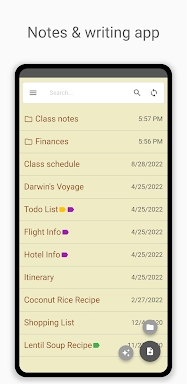
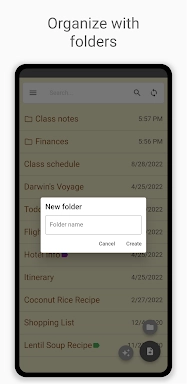
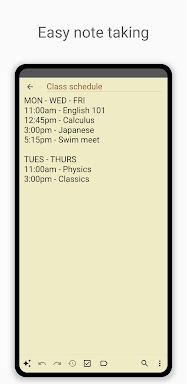


Inkpad Notepad & To Do List delivers a clean and intuitive note-taking and task-management experience. Its standout features include autosave to protect your work, easy-to-create checklists, and powerful search to find notes instantly. The app enables seamless syncing across your devices, secure online backups, and web browser access, so your notes are always available. An integrated AI chat assistant boosts your productivity by assisting with editing, brainstorming, and learning. Premium features like PIN Code protection and Note History provide enhanced security and functionality.
Key Features of Inkpad Notepad & To Do List:
⭐ Autosave Your Notes Automatically
⭐ Create Checklists and To-Do Lists
⭐ Quickly Search Through Your Notes
⭐ Sync Notes Between Android and iOS Devices
⭐ Secure Online Backup and Restore
⭐ AI Chat Assistant for Smart Editing, Brainstorming, and Learning
How to Get Started:
1. Download and Install: Get the app from your device's app store.
2. Open the App: Launch Inkpad to explore the simple interface.
3. Create a New Note: Tap the add button to begin a new note or to-do item.
4. Use the AI Assistant: Access the AI chat for help with editing and generating ideas.
5. Organize with Checklists: Convert any note into a checklist to track tasks.
6. Search Notes: Use the search bar to find specific notes quickly.
7. Sync Across Devices: Create an account to keep notes updated on all your devices.
8. Secure Backup: Activate online backup to keep your data safe.
9. Access from Browser: View and edit notes on the web at InkpadNotepad.com.
10. Upgrade to Premium: Unlock advanced features like PIN Code and Note History with a premium subscription.
-
 Sonic Racing: CrossWorlds Characters and Tracks Revealed for Upcoming Closed Network Test
-
 Marvel Rivals Season 1 Release Date Revealed
-
 RAID Shadow Legends: Mythical Champions Tier List Revealed
-
 Announcing Path of Exile 2: Guide to Sisters of Garukhan Expansion
-
 Honkai: Star Rail Update Unveils Penacony Conclusion
-
 Best Model Kits for Adults in 2025: Ultimate Guide