

Home > Apps > Personalization > Microsoft Launcher

| App Name | Microsoft Launcher |
| Developer | Microsoft Corporation |
| Category | Personalization |
| Size | 59.10M |
| Latest Version | 6.240702.0.1149870 |
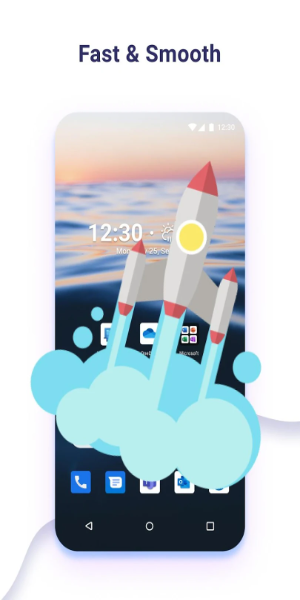
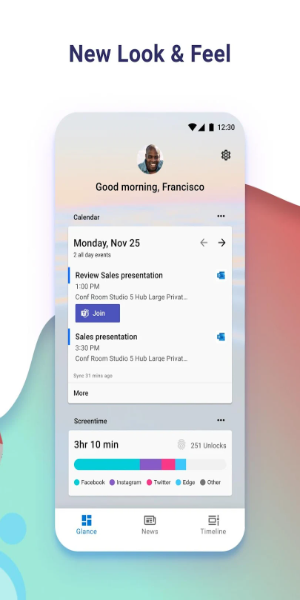
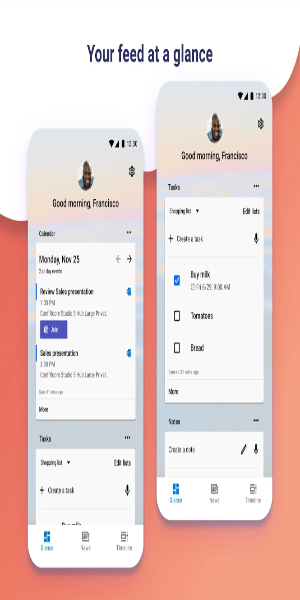


Enhance your Android experience with Microsoft Launcher, offering a fully customizable home screen designed to boost your efficiency. Organize apps, view your calendar, and manage tasks directly from a personalized feed. Set it up fresh or import your current layout, and switch back anytime with ease.
Key Features of Microsoft Launcher
Introduction
Microsoft Launcher is a powerful Android app that transforms your home screen into a highly customizable and productive hub. Packed with features, it delivers a visually appealing and efficient interface. Discover its standout features and useful tips to get the most out of your device.
Attractive Points
❤ Customizable Icons
Personalize your phone's look with custom icon packs and adaptive icons. Microsoft Launcher helps you create a consistent, unique style that truly reflects your personality.
❤ Beautiful Wallpapers
Enjoy a daily refresh of stunning imagery from Bing, or use your own photos to create a captivating and personal home screen background.
❤ Dark Theme
Reduce eye strain and improve readability in low light with the built-in Dark Theme. It integrates smoothly with Android's system settings for a comfortable viewing experience day and night.
❤ Backup and Restore
Switching phones or trying new layouts is simple. Microsoft Launcher's Backup and Restore feature lets you save your setup locally or to the cloud and transfer it seamlessly.
Tips for Users
❤ Explore Gestures
Navigate your home screen effortlessly using intuitive gestures. Swipe, pinch, or double-tap to quickly access apps and features.
❤ Utilize Accessibility Service Permission
Enable optional gestures for locking the screen and accessing recent apps through the Accessibility Service. This streamlines your interactions for greater convenience.
❤ Maximize Productivity
Leverage deep integration with Microsoft services. Use speech-to-text for Bing Search, Bing Chat, To Do, and Sticky Notes with microphone permission. View calendar events at a glance and call contacts with a swipe using phone permission.
Design and User Experience
Customizable Home Screen
Microsoft Launcher offers a highly flexible home screen, letting you arrange apps and widgets to suit your workflow, ensuring a truly personal experience.
Personalized Feed
Get a dynamic feed right on your home screen, showing your calendar, tasks, and important info at a glance to keep you organized and informed.
Sticky Notes Integration
Jot down quick notes and reminders directly from your home screen with Sticky Notes integration, keeping essential information always within reach.
Seamless Setup and Transition
Start fresh or import your existing home screen layout for a smooth transition that preserves your preferences without disruption.
Easy Reversion Option
You can easily switch back to your previous launcher setup whenever you want, giving you full control and flexibility.
-
 Sonic Racing: CrossWorlds Characters and Tracks Revealed for Upcoming Closed Network Test
-
 Marvel Rivals Season 1 Release Date Revealed
-
 Announcing Path of Exile 2: Guide to Sisters of Garukhan Expansion
-
 RAID Shadow Legends: Mythical Champions Tier List Revealed
-
 Honkai: Star Rail Update Unveils Penacony Conclusion
-
 Best Model Kits for Adults in 2025: Ultimate Guide