

Home > Apps > Communication > MyBrightDay

| App Name | MyBrightDay |
| Category | Communication |
| Size | 61.34M |
| Latest Version | 11.116.4 |
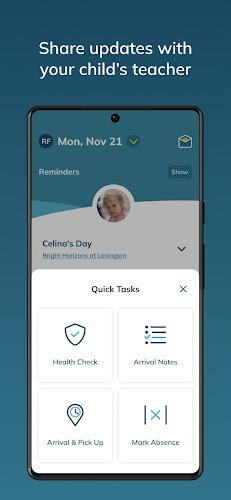
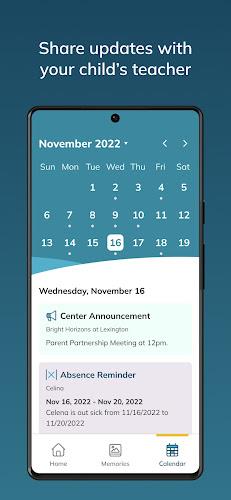
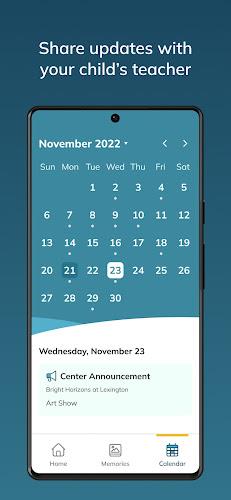
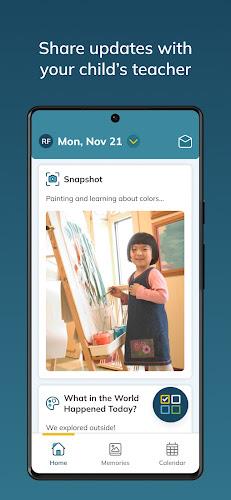


MyBrightDay keeps parents connected to their child’s daily life at Bright Horizons centers with real-time updates on naps, meals, diaper changes, and developmental progress—right from your phone. Easily share morning details like sleep or feeding notes to help teachers tailor care, view and save photos or videos anytime, and simplify drop-off and pick-up with the in-app ETA feature. Calendar reminders notify you about center events and classroom activities, while the daily report offers a convenient recap of your child's day.
Features of My Bright Day:
⭐ Teacher Communication: Share morning notes with your child’s teacher to support personalized daily care.
⭐ Real-time Updates: Get live updates on naps, meals, diapers, and developmental milestones as they happen.
⭐ Memories Section: Browse and save photos and videos from your child's day to cherish special moments.
⭐ Arrival & Pickup Help: Set your ETA in the app so teachers can prepare for smooth transitions.
⭐ Calendar Reminders: Never miss a center event, activity, or deadline with helpful alerts.
Tips for Users:
⭐ Use morning notes to give teachers key information for your child's comfort and care.
⭐ Check real-time updates regularly to stay connected with your child's daily routine and progress.
⭐ Visit the Memories section often to save photos and videos that capture your child's day.
⭐ Set ETAs for arrival and pickup to help the staff plan and ensure a hassle-free handoff.
⭐ Rely on calendar reminders to stay on top of upcoming events, activities, and important dates.
FAQ: How to use this app?
Download: Get the MyBrightDay app from your device’s app store.
Create Account: Sign up using the email address provided by your child’s center.
Log In: Enter your username and password to access your account.
Submit Information: Each morning, share details about your child’s day before drop-off.
View Updates: Check live updates throughout the day on your child’s activities and milestones.
Photos and Videos: View and download any photos or videos the center shares of your child.
Set ETA: Use the app to set an estimated arrival time for drop-off or pick-up.
Daily Report: Read the daily summary to catch up on your child’s day at a glance.
-
 Sonic Racing: CrossWorlds Characters and Tracks Revealed for Upcoming Closed Network Test
-
 Marvel Rivals Season 1 Release Date Revealed
-
 Honkai: Star Rail Update Unveils Penacony Conclusion
-
 Announcing Path of Exile 2: Guide to Sisters of Garukhan Expansion
-
 RAID Shadow Legends: Mythical Champions Tier List Revealed
-
 Best Model Kits for Adults in 2025: Ultimate Guide