


| App Name | Riv Screen Recorder |
| Developer | Rivulus Studios |
| Category | Tools |
| Size | 4.50M |
| Latest Version | 2.3.0 |
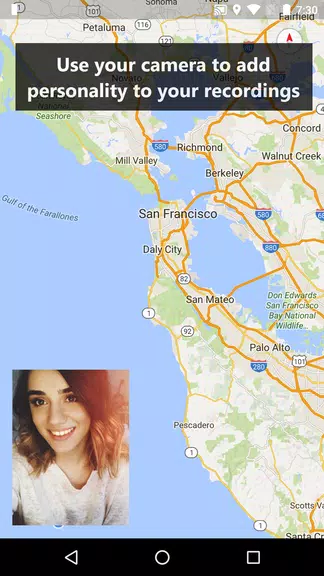
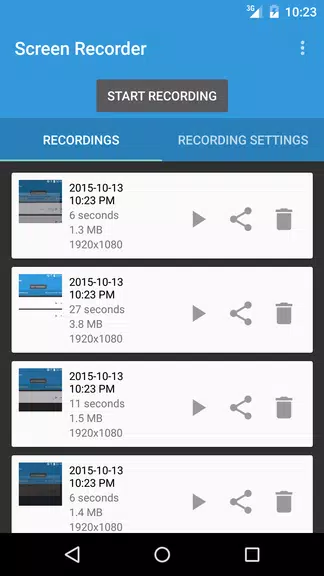
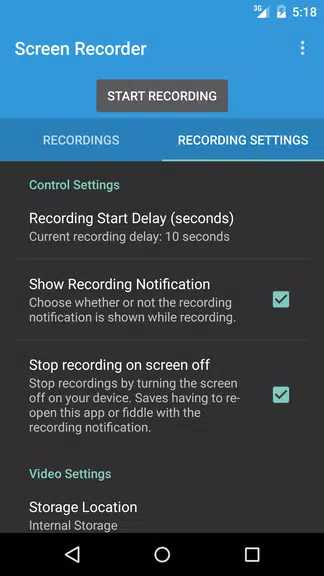
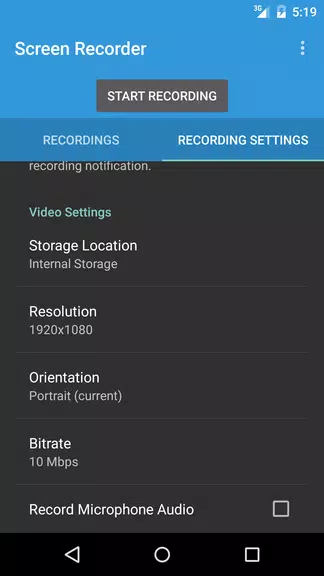


Meet Riv Screen Recorder, the premier Android screen recording app for devices running Android 5.0 and up. This powerful tool lets you capture high-quality video effortlessly—no root access needed. All your recordings are neatly organized in one folder for easy access, editing, and sharing via your favorite apps. Riv also includes standout features like picture-in-picture camera support, direct recording to an SD card, and customizable video resolution, orientation, and bitrate. With audio recording and a configurable start delay, it’s the complete solution for all your screen-capture tasks.
Key Features of Riv Screen Recorder:
Simple and Intuitive: Riv Screen Recorder is built for ease of use, welcoming both novices and experienced users. Its clean interface and straightforward controls let you start recording your screen in seconds, with no learning curve.
No Root Required: Unlike many alternatives, Riv uses official Android APIs (Lollipop and later), so you never have to root your device. Enjoy secure screen recording without voiding your warranty or risking system stability.
Flexible Recording Options: Enhance your recordings with features like picture-in-picture from your device’s cameras, letting you capture your screen and yourself at the same time. You can also save videos directly to an SD card to free up internal storage.
High-Quality Output: Record at full screen resolution for crisp, clear videos. Adjust resolution, orientation, and bitrate to match your needs, giving you full control over the final look and file size of your recordings.
Helpful Tips for Users:
Explore the Settings: Before you hit record, spend a minute browsing the app’s settings. Try different resolutions, orientations, and bitrates to find the ideal setup for your project.
Use Picture-in-Picture Creatively: Activate the picture-in-picture mode to include your camera feed while recording the screen. This adds a personal touch and makes tutorials, reactions, or gameplay videos more engaging.
Keep Recordings Organized: Riv automatically saves your videos in a dedicated folder. Use this to stay organized—view, trim, or share your files quickly with other apps you already love.
Set a Recording Delay: Need a moment to prepare? Adjust the recording start delay in settings. This gives you time to open the right app, position windows, or get ready before the capture begins.
Final Thoughts:
Riv Screen Recorder lives up to its name—delivering a straightforward, flexible, and high-quality screen recording experience for Android. Its intuitive design, root-free operation, and rich feature set make it a great pick for everyone from casual users to content creators. Whether you’re recording a tutorial, gameplay, or a presentation, Riv has you covered. Make the most of its customization options to produce polished videos with just a few taps. Download Riv Screen Recorder today and see how simple and effective screen recording can be.
-
 Sonic Racing: CrossWorlds Characters and Tracks Revealed for Upcoming Closed Network Test
-
 Marvel Rivals Season 1 Release Date Revealed
-
 RAID Shadow Legends: Mythical Champions Tier List Revealed
-
 Announcing Path of Exile 2: Guide to Sisters of Garukhan Expansion
-
 Honkai: Star Rail Update Unveils Penacony Conclusion
-
 Best Model Kits for Adults in 2025: Ultimate Guide