

Home > Apps > Communication > SKEDit: Auto Message Scheduler

| App Name | SKEDit: Auto Message Scheduler |
| Developer | SKEDit Software International |
| Category | Communication |
| Size | 11.48M |
| Latest Version | 3.0.9.0 |
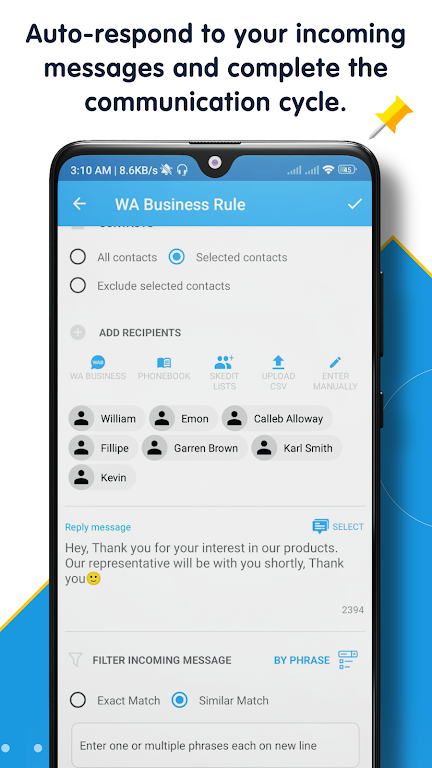
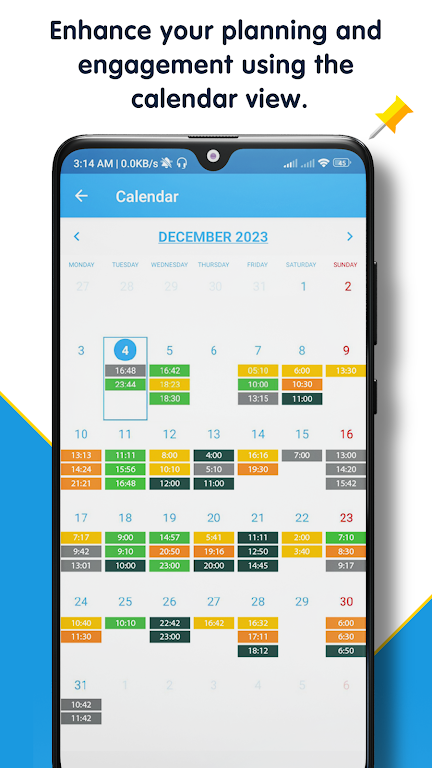
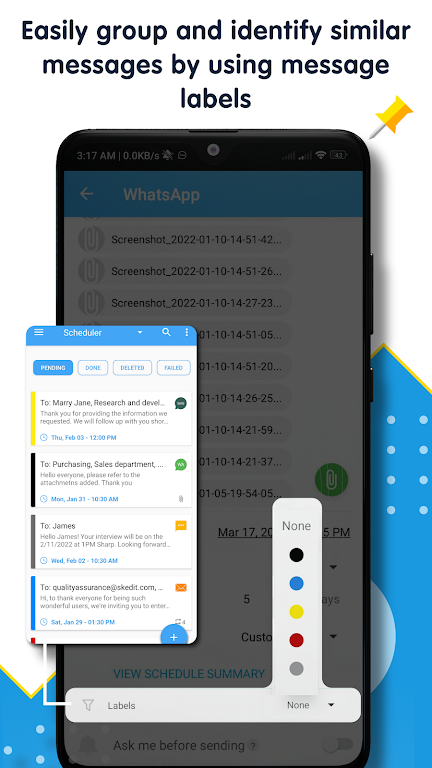


SKEDit is your all-in-one scheduling and auto-reply app, built to supercharge your business. Effortlessly schedule WhatsApp messages and statuses, and manage your Telegram and Messenger conversations from one place. Think of it as your personal assistant, designed to boost your productivity, save you valuable time, and cut down on stress. Automate your messaging and focus on what drives your business forward!
SKEDit Key Features:
- Schedule messages & status updates
- Automate sending & replies
- Central dashboard for all scheduled communications
- Share rich attachments
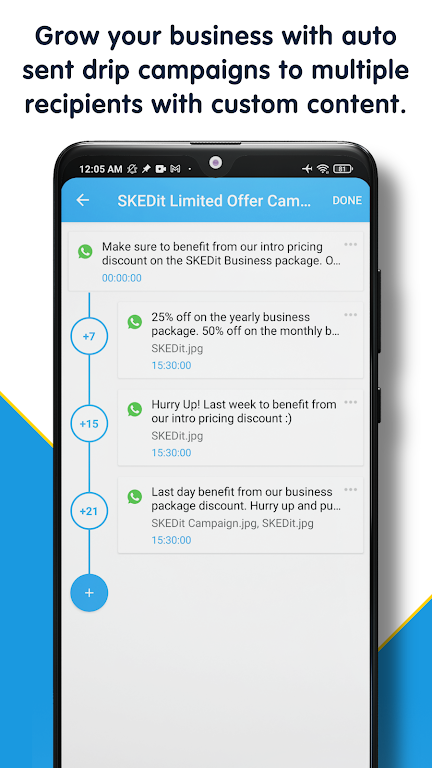
- Run drip campaigns & use custom templates
- Multi-language support
Tips for Getting the Most Out of SKEDit:
- Use message and status scheduling to reach your audience at the perfect time.
- Personalize your messages with videos, images, and documents using the rich attachments feature.
- Stay organized and in control by managing all your communications from the unified dashboard.
- Optimize your outreach with drip campaigns and custom templates tailored to your strategy.
- Expand your reach by using multi-language support to connect with a global audience.
Why Choose SKEDit?
+ Expand your audience reach and win more business.
+ Enhance engagement & customer experience– send personalized messages at scale with AI-optimized text.
+ Boost productivity, save time, and organize communications with powerful scheduling tools.
+ Never miss important messages by planning your communications in advance.
+ View your entire communication schedule across multiple channels in a single dashboard.
+ Let SKEDit handle the heavy lifting—automate replies and create content with AI while you focus on core tasks!
Possible Use Cases
● Marketing & Sales: Follow up with leads, promote products and new collections, engage customers with announcements.
● Business Productivity: Auto-send messages across time zones, send team instructions, distribute job opportunities.
● Reminders: Appointment & task reminders, special occasion greetings (birthdays, holidays), general announcements.
How It Works in 3 Easy Steps
[1] Select Your Channel: Choose the messaging service you want to automate or set up auto-replies for.
[2] Create Your Content: Write your message or WhatsApp status. Use AI features to help draft or refine your text.
[3] Set the Schedule: Pick the exact date and time for sending. Then relax—SKEDit handles auto-sending and auto-reply from there.
What's New
• New Auto-unlock feature
• New SKEDit AI assistant
• Improved detection of characters in contact names
• Bug fixes and performance improvements
-
 Sonic Racing: CrossWorlds Characters and Tracks Revealed for Upcoming Closed Network Test
-
 Marvel Rivals Season 1 Release Date Revealed
-
 RAID Shadow Legends: Mythical Champions Tier List Revealed
-
 Announcing Path of Exile 2: Guide to Sisters of Garukhan Expansion
-
 Honkai: Star Rail Update Unveils Penacony Conclusion
-
 Best Model Kits for Adults in 2025: Ultimate Guide