

Home > Apps > Video Players & Editors > TV Sat Info Pakistan

| App Name | TV Sat Info Pakistan |
| Developer | Saeed A. Khokhar |
| Category | Video Players & Editors |
| Size | 2.10M |
| Latest Version | 1.0.4 |
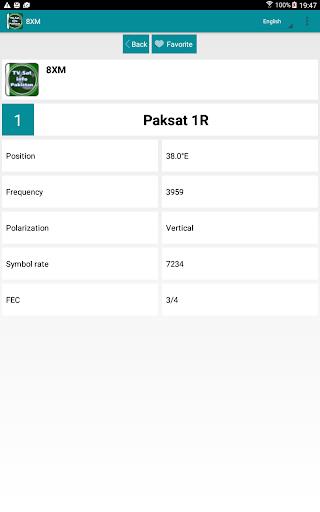
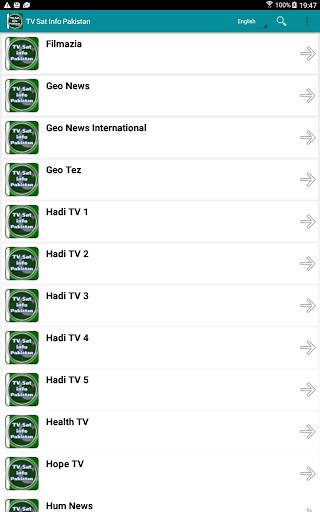
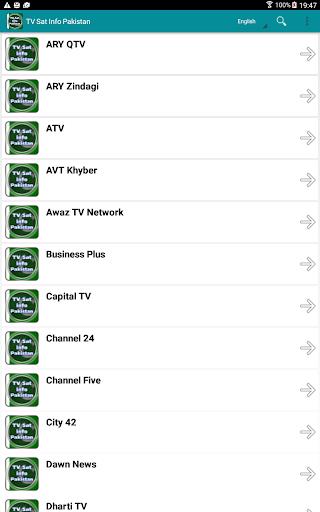
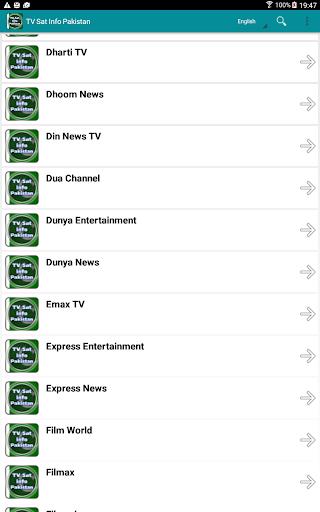


TV Sat Info Pakistan is an intuitive application that delivers all essential information for configuring your satellite receiver and aligning your satellite dish. This app provides clear, step-by-step guidance to correctly assign satellites and align your dish with speed and precision. It also includes helpful features such as a "Favorites" function for quick access to preferred channels, a transponder search function, and multilingual support. Furthermore, you can explore satellite frequencies and channels, all arranged alphabetically for convenience. Whether you're just starting out or are an experienced satellite user, TV Sat Info Pakistan meets all your needs.
Key Features of TV Sat Info Pakistan:
* Station Information: TV Sat Info Pakistan gives you comprehensive details about various stations, including names, satellite positions, frequencies, polarization planes, symbol rates, and FEC settings. This allows for straightforward configuration of satellite receivers for different channels.
* Favorites Function: With the "What's New" favorites feature, users can mark preferred channels or stations, making it simpler to navigate and quickly reach the content they love.
* Transponder Search: TV Sat Info Pakistan includes a transponder search tool that lets you look up specific transmitters or channels. Enjoy a faster way to locate desired channels without scrolling through long lists.
* Language Support: The app features a language selection option, enabling users to set the interface in their preferred language. This creates a smooth and accessible experience for speakers of various languages.
User Tips:
* Save Your Favorite Channels: Make the most of the favorites function by saving frequently watched channels. This saves time by letting you access them immediately without searching the full channel guide.
* Use the Transponder Search: When searching for a particular channel or station, take advantage of the transponder search. Just enter the name or a related keyword, and the app will show relevant matches.
* Try Different Languages: If you speak multiple languages or want to learn a new one, switch the app's language setting to explore content in different languages. This can enrich your TV experience and help you learn.
Conclusion:
TV Sat Info Pakistan is an essential tool for anyone setting up a satellite dish. With its thorough station data and convenient features—favorites, transponder search, and language selection—users can align their satellite receivers accurately and access their chosen channels easily. Whether you're new to satellite setup or a seasoned user, this app equips you with everything needed for a fast and effective installation. Download it today for effortless satellite dish alignment and a vast selection of channels.
-
 Sonic Racing: CrossWorlds Characters and Tracks Revealed for Upcoming Closed Network Test
-
 Marvel Rivals Season 1 Release Date Revealed
-
 RAID Shadow Legends: Mythical Champions Tier List Revealed
-
 Announcing Path of Exile 2: Guide to Sisters of Garukhan Expansion
-
 Honkai: Star Rail Update Unveils Penacony Conclusion
-
 Best Model Kits for Adults in 2025: Ultimate Guide