


| App Name | Video Maker: Video Creator With Music And Photos |
| Developer | Noble Gracious |
| Category | Tools |
| Size | 46.60M |
| Latest Version | 1.1.6 |
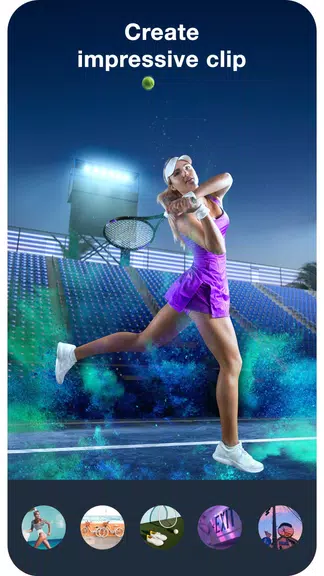
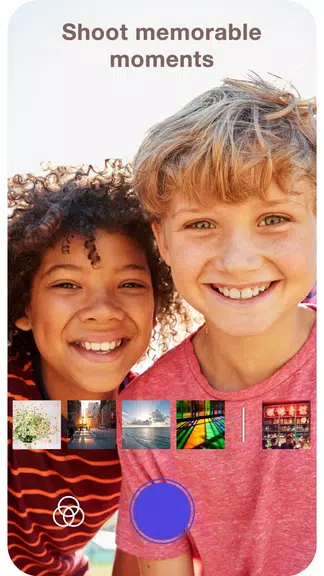

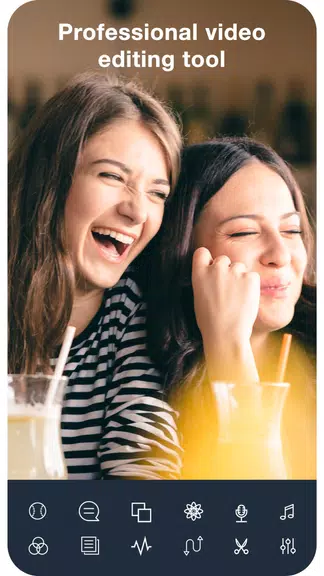


Meet the Video Maker: Video Creator With Music And Photos app! This sleek and powerful slideshow maker combines a video editor and music integration, giving you everything you need to craft beautiful videos in minutes. You can choose between two creative paths: produce a photo slideshow with music or record videos with added music and effects. Simply pick your favorite photos, choose a theme, add a soundtrack, and customize transition effects to build an eye-catching slideshow. Alternatively, use the built-in video recorder to capture life's special moments, adjust angles and rotation speed, and apply filters to add extra sparkle. With robust editing tools, you can trim and combine clips, overlay music, apply filters and effects, insert stickers and text, and produce videos with a professional finish. Best of all, it's completely free! Install the Video Maker app with music today and start crafting videos that matter. Share them with friends and collaborate on projects together.
Features of Video Maker: Video Creator With Music And Photos:
* Create Video Slideshows with Music:
This app lets you quickly assemble video slideshows by selecting your favorite photos and pairing them with music. Choose a theme, pick a song, and apply smooth slide transitions to make your slideshow more engaging. The editor includes high-quality tools to give your videos a polished, professional look.
* Video Recording with Music and Effects:
Beyond slideshows, you can record videos directly with background music and effects. Freely capture any moment, customize rotation speed, select camera angles, and apply filters to boost your video's visual impact. There are no time restrictions, so you can record as long as you like.
* Powerful Editing Tools:
Once you've recorded or created your video, refine it with the app's advanced editing suite. Cut and merge video segments, rotate footage horizontally or vertically, and select your preferred aspect ratio. You can also adjust playback speed, add background music, apply filters and visual effects, insert stickers, and overlay text to share meaningful messages.
* Professional Video Star Editor:
Experience a professional-grade editing environment with this app’s comprehensive set of features and tools. You can easily produce unique, captivating videos by exploring all available options. Designed to fulfill all your editing needs, the app empowers you to unleash your creativity fully.
Tips for Users:
* Experiment with Different Themes:
When creating video slideshows, try out various themes that suit the mood or occasion. This helps you craft unique, personalized videos that stand out. Don’t hesitate to explore all the themes the app offers to add a creative flair to your projects.
* Use Filters and Effects Strategically:
Filters and effects can significantly enhance your video's visual appeal. Test different styles to find those that best match your content and artistic vision. Use them thoughtfully to strengthen your video's overall message or atmosphere.
* Pay Attention to Audio Quality:
When adding music, ensure the audio is clear and aligns with your video’s tone and style. Select tracks that evoke the right emotions and support your storytelling. You can also balance volume levels to create a harmonious audio-visual experience.
Conclusion:
The Video Maker: Video Creator With Music And Photos app is a versatile, user-friendly tool for creating impressive videos with minimal effort. Whether you're making music-backed slideshows or recording videos enhanced with effects, this app delivers. Thanks to its powerful editing tools and professional-grade features, you can freely express your creativity and produce memorable, distinctive videos. Download the app now and start creating meaningful, engaging content to share with your audience.
-
 Sonic Racing: CrossWorlds Characters and Tracks Revealed for Upcoming Closed Network Test
-
 Marvel Rivals Season 1 Release Date Revealed
-
 Announcing Path of Exile 2: Guide to Sisters of Garukhan Expansion
-
 RAID Shadow Legends: Mythical Champions Tier List Revealed
-
 Honkai: Star Rail Update Unveils Penacony Conclusion
-
 Best Model Kits for Adults in 2025: Ultimate Guide