

Home > Apps > Communication > WiFi AR

| App Name | WiFi AR |
| Developer | Wi-Fi Solutions |
| Category | Communication |
| Size | 9.80M |
| Latest Version | 5.9.3 |
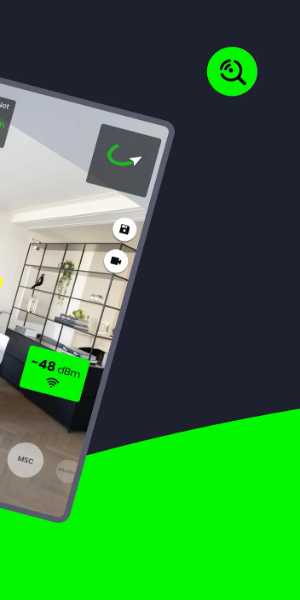

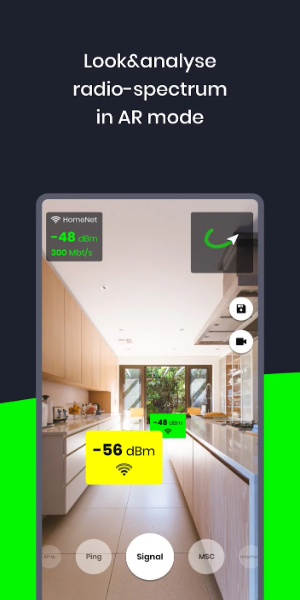


WiFi AR transforms your existing WiFi and cellular networks into immersive augmented reality visuals. It highlights optimal access points by showing real-time signal strength, connection speeds, and ping. The app also pinpoints neighboring networks that could cause interference, helping you achieve peak performance across all your routers.
Key Features of WiFi AR:
- Speed Value: Instantly view your current connection speed.
- Ping Value: Locate the area with minimal latency for seamless online gaming over WiFi or 5G/LTE.
- Interference Networks: Spot nearby networks that might degrade your connection, then switch to a clearer channel in your router settings.
- Best WiFi AP Detection: Verify your device correctly switches between multiple routers in your home for consistent coverage.
WiFi AR Interface Overview
- Camera View: The main screen shows a live feed from your device's rear camera, presenting your surroundings in real time.
- Augmented Data Overlay: This visual layer sits above the camera view, displaying WiFi network details like signal bars, SSIDs, security icons, and directional cues toward access points.
- Network List: A list or grid view presents all available WiFi networks, showing their names, signal strength, and encryption type. Tap any network for more details or to connect.
- Navigation Controls: On-screen buttons or gestures let you interact with AR elements—zooming, rotating the display, or accessing extra features.
- Settings and Options: Customize app behavior, adjust AR display preferences, or use advanced tools for network diagnostics and signal tuning.
- Help and Support: Access tooltips, pop-up guides, or a dedicated help section to master the app's features.
- Signal Visualization: Color-coding and graphics complement signal bars to clearly indicate the quality and strength of nearby WiFi signals.
- Alerts and Notifications: Get timely alerts for potential WiFi issues like weak signals or network congestion.
- 3D Objects: Some versions include 3D models of routers or access points in the AR overlay for easy hardware identification.
- Connectivity Status: A clear indicator shows if your device is connected to WiFi and the current connection state (e.g., connected, disconnected, obtaining IP address).
What's New
Updated Wi-Fi modes with added Band, IEEE mode, and max Tx/Rx rate details.
Fixed a bug affecting video capture on certain devices.
-
 Sonic Racing: CrossWorlds Characters and Tracks Revealed for Upcoming Closed Network Test
-
 Marvel Rivals Season 1 Release Date Revealed
-
 RAID Shadow Legends: Mythical Champions Tier List Revealed
-
 Honkai: Star Rail Update Unveils Penacony Conclusion
-
 Announcing Path of Exile 2: Guide to Sisters of Garukhan Expansion
-
 Best Model Kits for Adults in 2025: Ultimate Guide