

Marvel Rivals: Disable Mouse Acceleration Guide
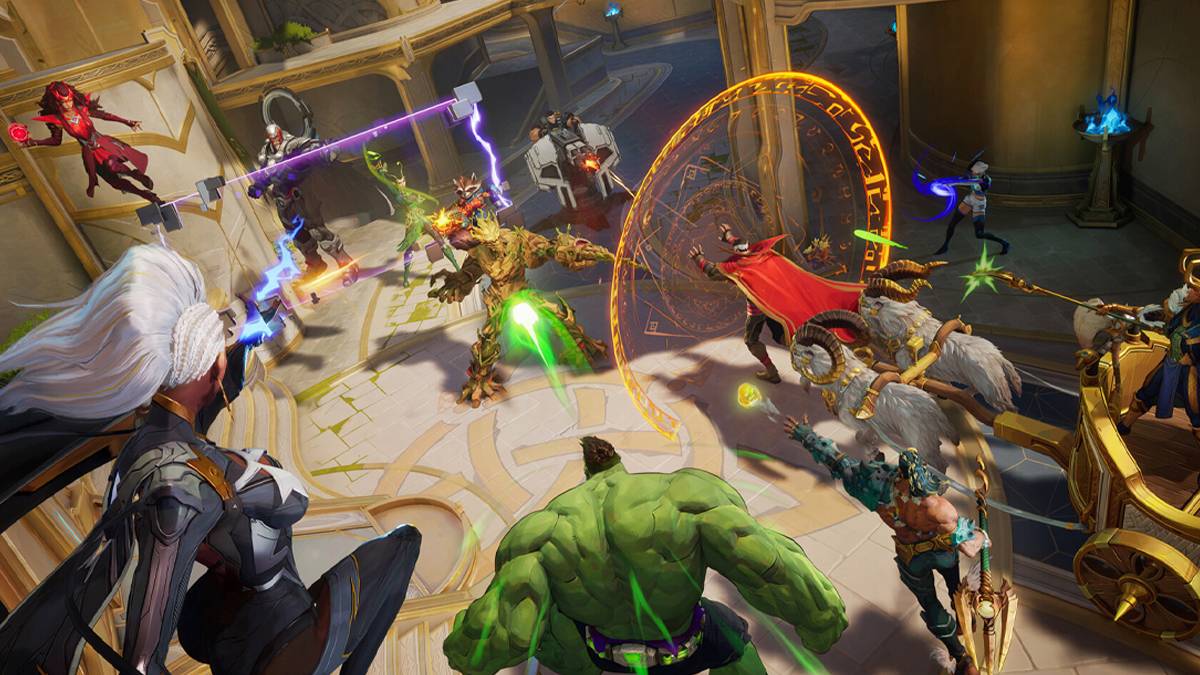
Mouse acceleration significantly hinders performance in shooters, and Marvel Rivals is no exception. The game defaults to mouse acceleration with no in-game option to disable it. Here's how to manually disable it:
Disabling Mouse Acceleration in Marvel Rivals
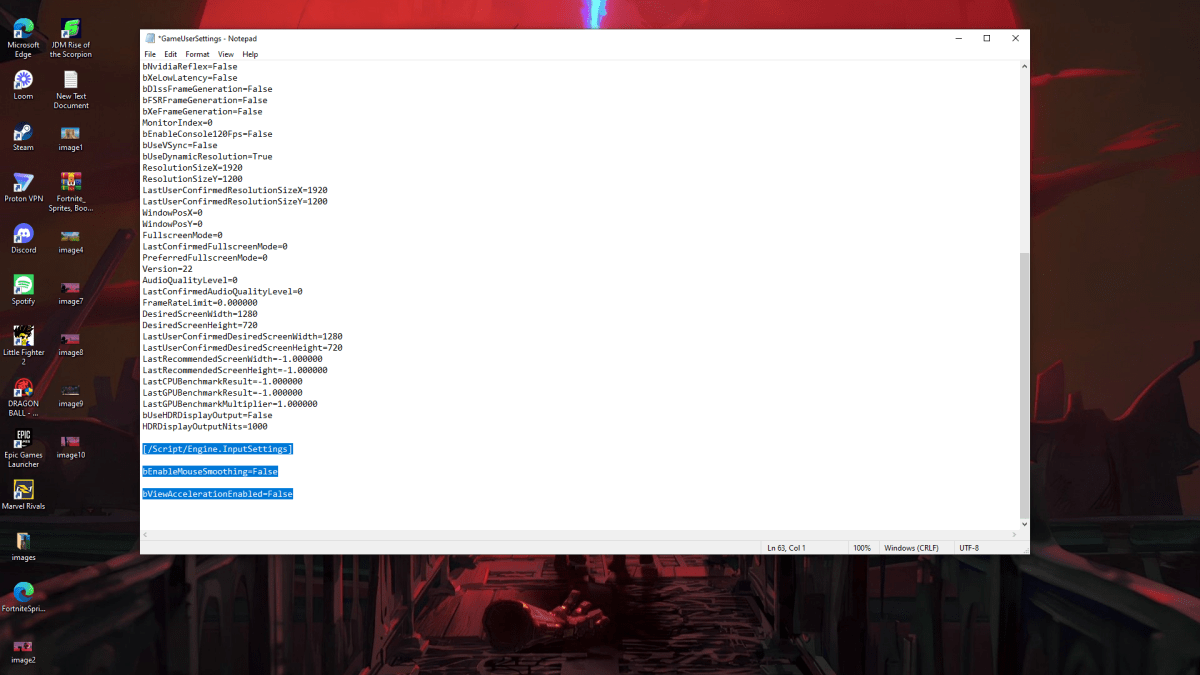
Because the game lacks an in-game setting, you must modify the game's configuration file. Follow these steps:
- Press Windows key + R, type
%localappdata%, and press Enter. - Locate the "Marvel" folder, then navigate to "MarvelSavedConfigWindows".
- Open the "GameUserSettings.ini" file using Notepad (or a similar text editor).
- Add the following lines to the end of the file:
[/Script/Engine.InputSettings]
bEnableMouseSmoothing=False
bViewAccelerationEnabled=False- Save the changes (Ctrl + S), close the file, and right-click it.
- Select "Properties," check the "Read-only" box, click "Apply," and then "OK."
This disables mouse acceleration within the game. For optimal results, also disable it in Windows settings:
Disabling Mouse Acceleration in Windows
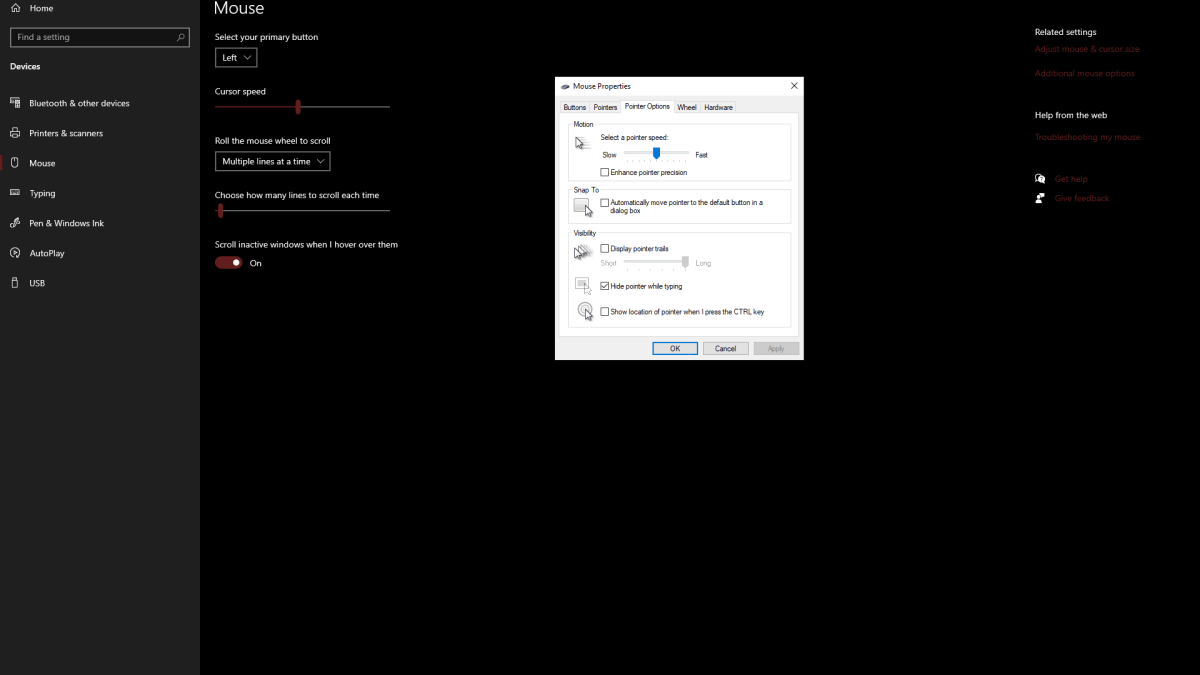
- In the Windows search bar, type "Mouse" and select "Mouse settings."
- Click "Additional mouse options" in the upper right corner.
- Go to the "Pointer Options" tab.
- Uncheck "Enhance pointer precision."
- Click "Apply" and then "OK."
Understanding Mouse Acceleration
Mouse acceleration alters your sensitivity based on your mouse movement speed. Fast movements result in higher sensitivity, while slow movements reduce it. While convenient for general use, this inconsistency is detrimental in shooters. Consistent sensitivity is crucial for developing muscle memory and improving aim. Mouse acceleration prevents this by constantly changing your sensitivity.
With mouse acceleration disabled in both the game and Windows, you'll experience a more responsive and consistent aiming experience in Marvel Rivals.
Marvel Rivals is available now on PS5, PC, and Xbox Series X|S.
-
 Punjabi Dhaba HicksvilleSatisfy your craving for authentic Punjabi cuisine with the Punjabi Dhaba Hicksville app. Just a few taps are all it takes to order delicious meals anytime, anywhere. Whether you need a quick lunch or are planning a full dinner, this app delivers. E
 -
 Mallu Follow - Real Followers"Mallu Follow - Real Followers" is an application dedicated to helping users build an authentic social media following. It provides a platform for organic growth across multiple networks, focusing on delivering genuine followers to boost your online
 -
 Solitario Napoletano 6Welcome to Solitario Napoletano 6, the newest chapter in the cherished "Solitario Napoletano" series! Following the triumphs of fan favorites like "Solitaire Neapolitan 2" and "3 Napoletano Solitario," this edition is brimming with the distinctive f
 -
 gesund.de - E-Prescription AppTransform your pharmacy visits with the gesund.de E-Prescription App! This cutting-edge solution lets you digitally submit prescriptions to nearby German pharmacies in seconds. Skip the lines—just scan your health card, choose your preferred pharmac
 -
 Head Soccer CardsStep into the thrilling world of Head Soccer Cards, a sport card puzzle game where you build your ultimate team of Soccer Heads to outsmart and outscore your rivals. Each turn, you'll receive pairs of cards and must strategically pick your players t
 -
 Summoner SquadSummoner Squad transports players into the enchanting realm of Gaia Land, tasking them with assembling a powerful team of six charming heroes to stand against the encroaching darkness. Featuring a distinctive cubic art style, the game lets you summo
-
 Marvel Rivals Season 1 Release Date Revealed
-
 Sonic Racing: CrossWorlds Characters and Tracks Revealed for Upcoming Closed Network Test
-
 Honkai: Star Rail Update Unveils Penacony Conclusion
-
 Announcing Path of Exile 2: Guide to Sisters of Garukhan Expansion
-
 Ubisoft Cancels Assassin's Creed Shadows Early Access