

Mastering Minecraft Skies: Elytra Guide
Minecraft offers a variety of travel methods, but none compare to the exhilarating experience of gliding through the skies with Elytra. This rare and coveted item not only allows players to cover vast distances with ease but also opens up opportunities for impressive aerial maneuvers. In this guide, we'll delve into how to obtain Elytra across different game modes, as well as the techniques for using, repairing, and enhancing them to maximize your airborne adventures.
Table of Contents
- Basic Information
- How to Get Elytra in Minecraft in Survival Mode
- Preparing for Battle
- Activating the Portal to the End
- Finding the Stronghold
- Battle with the Dragon
- Inside the Ship
- Creative Mode
- Commands
- How to Fly with Elytra
- Flight Controls
- Fireworks Boost
- How to Upgrade and Repair Elytra
- Using Anvil
- Using the Mending Enchantment
Basic Information
Elytra is a unique and rare item in Minecraft that transforms the way players explore the game world. Resembling wings when deployed and a cloak when folded, Elytra significantly enhances travel speed and efficiency, especially when paired with fireworks. These wings can only be found naturally in the End dimension, specifically inside Ships near End Cities, following the defeat of the Ender Dragon. However, alternative acquisition methods exist in different game modes, which we will explore below.
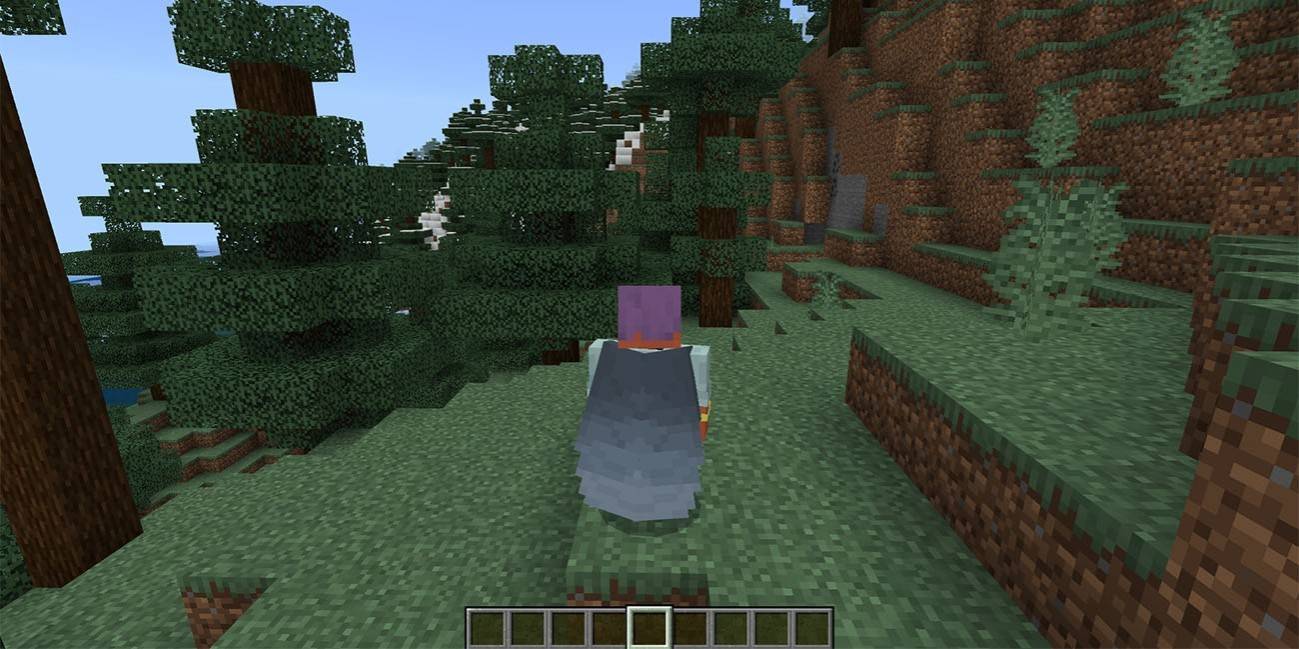 Image: ensigame.com
How to Get Elytra in Minecraft in Survival Mode
Preparing for Battle
Before you set out on your quest for Elytra, thorough preparation is essential. Equip yourself with Diamond or Netherite armor, ideally enchanted for enhanced protection. Arm yourself with a sword and a bow, both enchanted for optimal performance—Infinity or Power enchantments for your bow will be particularly useful for engaging the Ender Dragon from a distance. Stock up on arrows or opt for a crossbow loaded with fireworks to efficiently tackle your foes. Potions of regeneration, strength, and slow falling will prove invaluable for health restoration, damage amplification, and cushioning falls. Pack golden apples for emergency healing, and don't forget blocks to help you reach the End Crystals. To safely navigate past Endermen, consider wearing a carved pumpkin on your head to prevent their aggression.
 Image: gamebanana.com
Activating the Portal to the End
To access the End, you'll need to activate the portal using 12 Eyes of Ender, which also serve as your compass to the Stronghold. Crafting an Eye of Ender involves combining Blaze Powder, derived from Blaze Rods dropped by Blazes in Nether Fortresses, with Ender Pearls, which are less predictable in their drop rate from Endermen. Once you have the necessary materials, arrange them in the crafting grid as shown below.
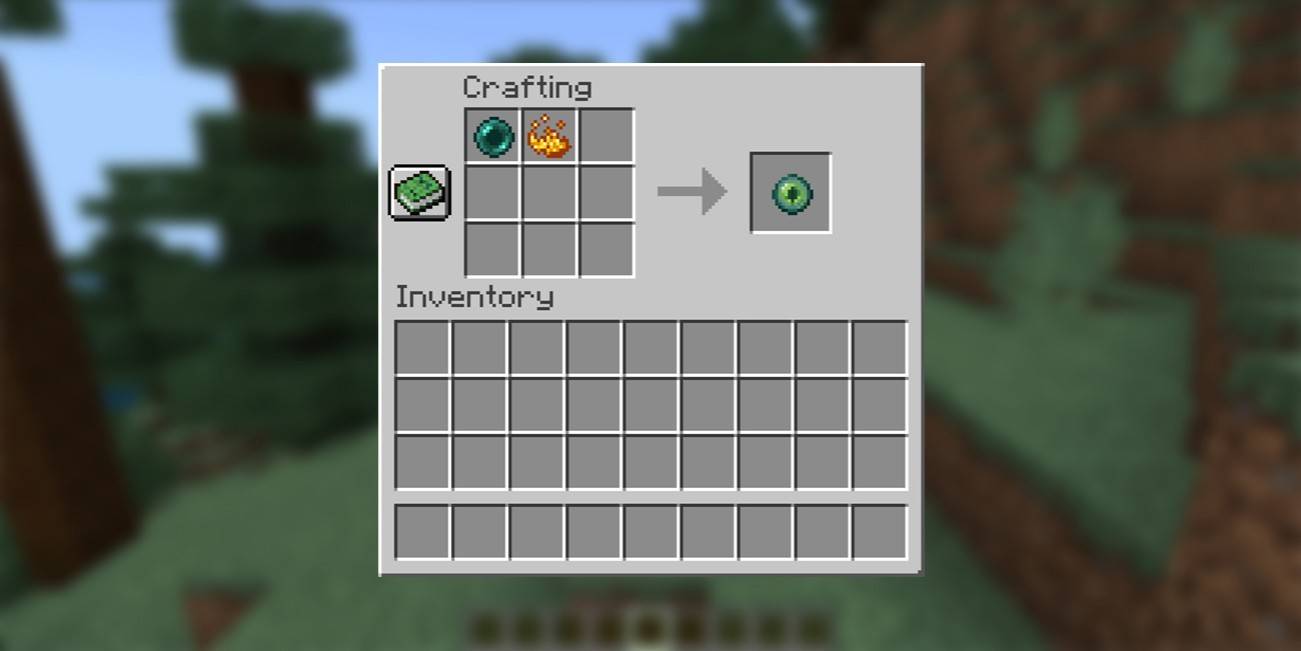 Image: ensigame.com
Finding the Stronghold
With your Eyes of Ender ready, it's time to locate the Stronghold. Use an Eye of Ender to guide you; throw it into the air, and follow its trajectory towards the Stronghold's location. Once you're close, the Eye will hover, indicating you should start digging down into the dark, ancient labyrinths filled with hostile mobs like skeletons, creepers, and cave spiders. Inside the Stronghold, search for the portal room and insert the Eyes of Ender into the frame to activate the portal to the End.
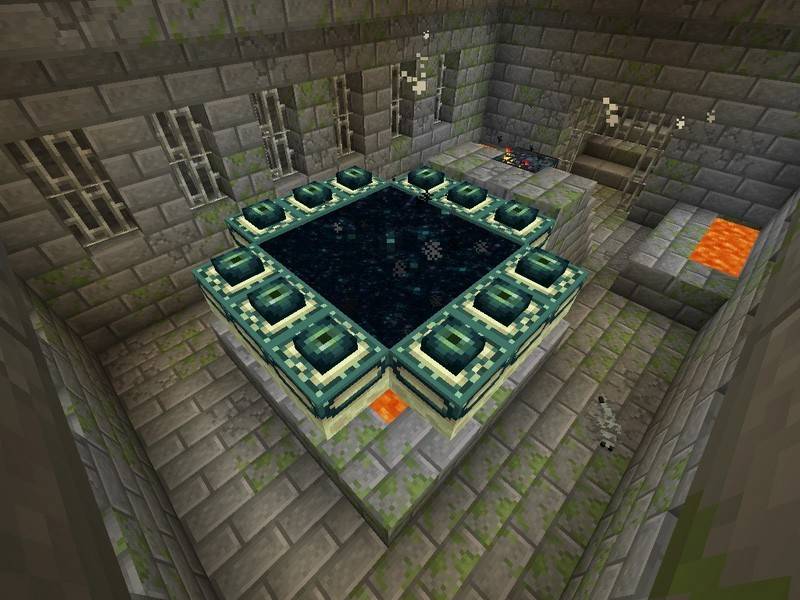 Image: peminecraft.com
Battle with the Dragon
Upon entering the End, the battle against the Ender Dragon commences immediately. To ensure victory, prioritize destroying the End Crystals that regenerate the dragon's health. Use your bow and arrows from a safe distance or brave the terrain to destroy them manually. Once the crystals are dealt with, focus on the dragon itself, alternating between ranged attacks when it's airborne and close combat when it lands near the portal.
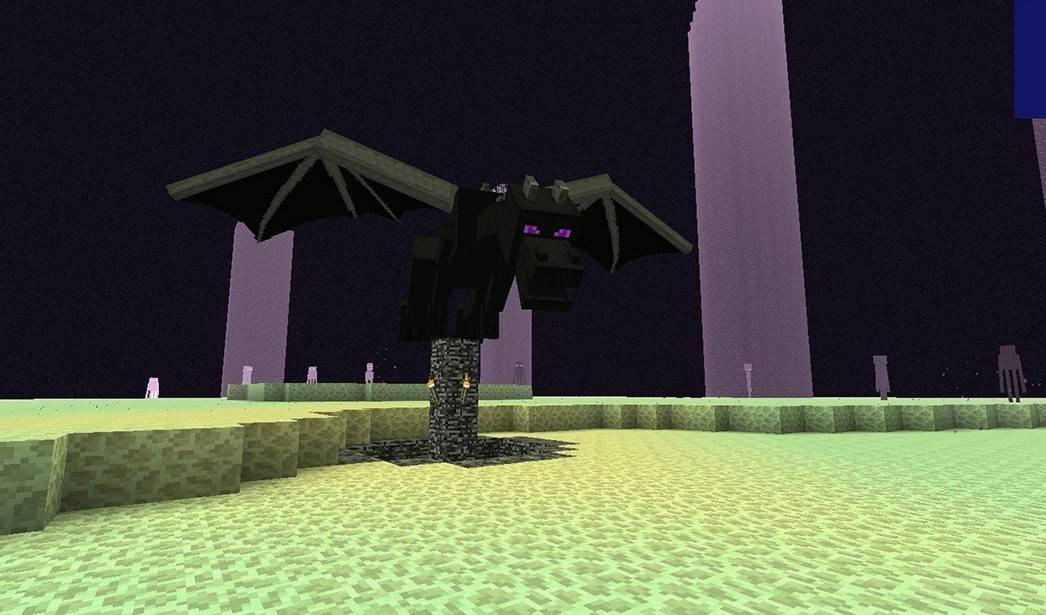 Image: peminecraft.com
After defeating the dragon, a portal to the End Gateway will materialize. To reach the outer islands where End Cities and Ships are located, throw an Ender Pearl into the gateway. Explore these islands for the towering, purple End Cities and keep an eye out for nearby Ships, which are your ultimate destination for finding Elytra. Be prepared to confront Shulkers, the guardians of these Ships.
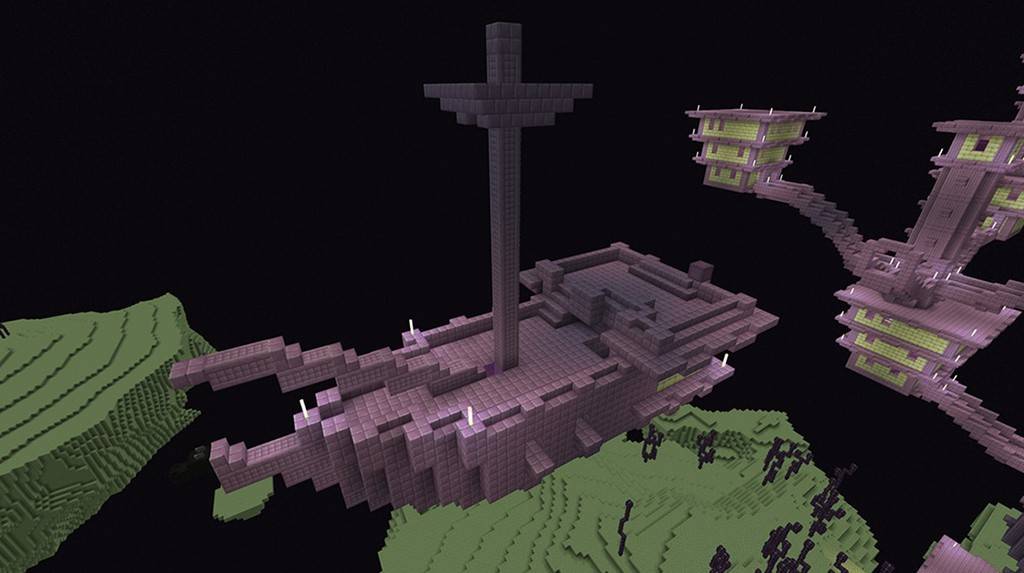 Image: youtube.com
Inside the Ship
Once inside the Ship, locate the Item Frame on the wall, break it to claim the Elytra, and don't forget to check any chests for additional rewards.
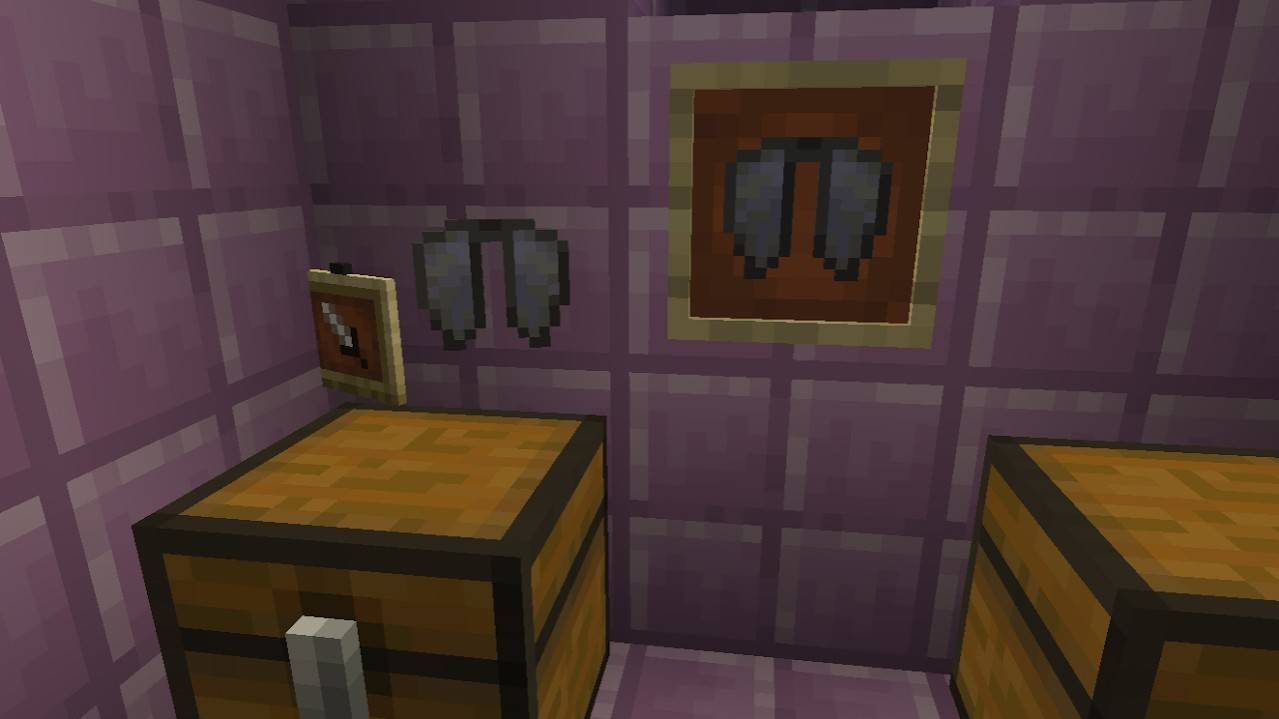 Image: reddit.com
Creative Mode
For those who prefer a less challenging path, obtaining Elytra in Creative Mode is straightforward. Simply open your inventory, search for "Elytra," and add it to your inventory. While this method is easier and safer, remember that Elytra doesn't provide any special advantages in Creative Mode.
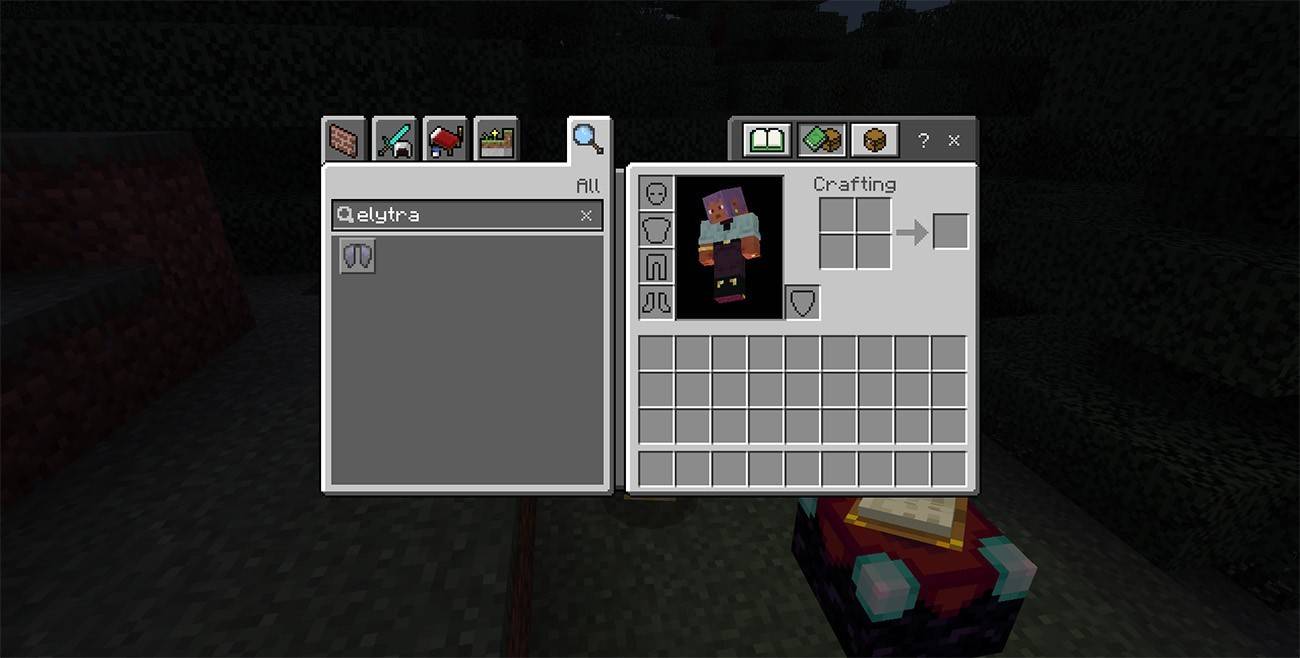 Image: ensigame.com
Commands
If neither Survival nor Creative Mode suits your needs, you can use commands to acquire Elytra. Ensure cheats are enabled in your world settings or through LAN connections. Open the chat window and enter the command:
/give @s minecraft:elytra
This command will instantly add Elytra to your inventory, offering a quick and hassle-free way to obtain this item.
How to Fly with Elytra
To take to the skies with Elytra, equip them in the chest armor slot of your inventory. Find a high vantage point, jump off, and press the Spacebar to deploy your wings and start gliding.
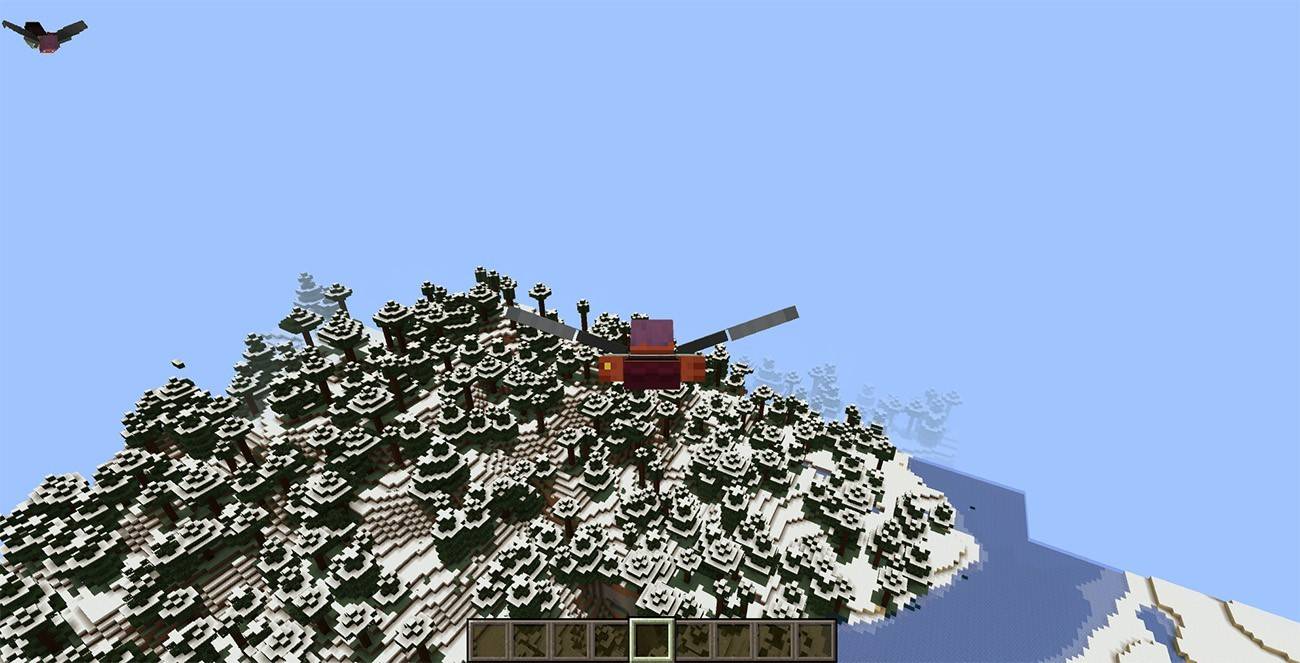 Image: ensigame.com
Flight Controls
Control your flight using the following keys:
- W – Move forward
- A – Turn left
- S – Slow down or descend
- D – Turn right
Fireworks Boost
To increase your speed and distance, use Fireworks. Craft them using 1 Paper and 1 Gunpowder; the more ingredients, the longer the boost. Hold the Fireworks in your hand and press the action button to propel yourself forward.
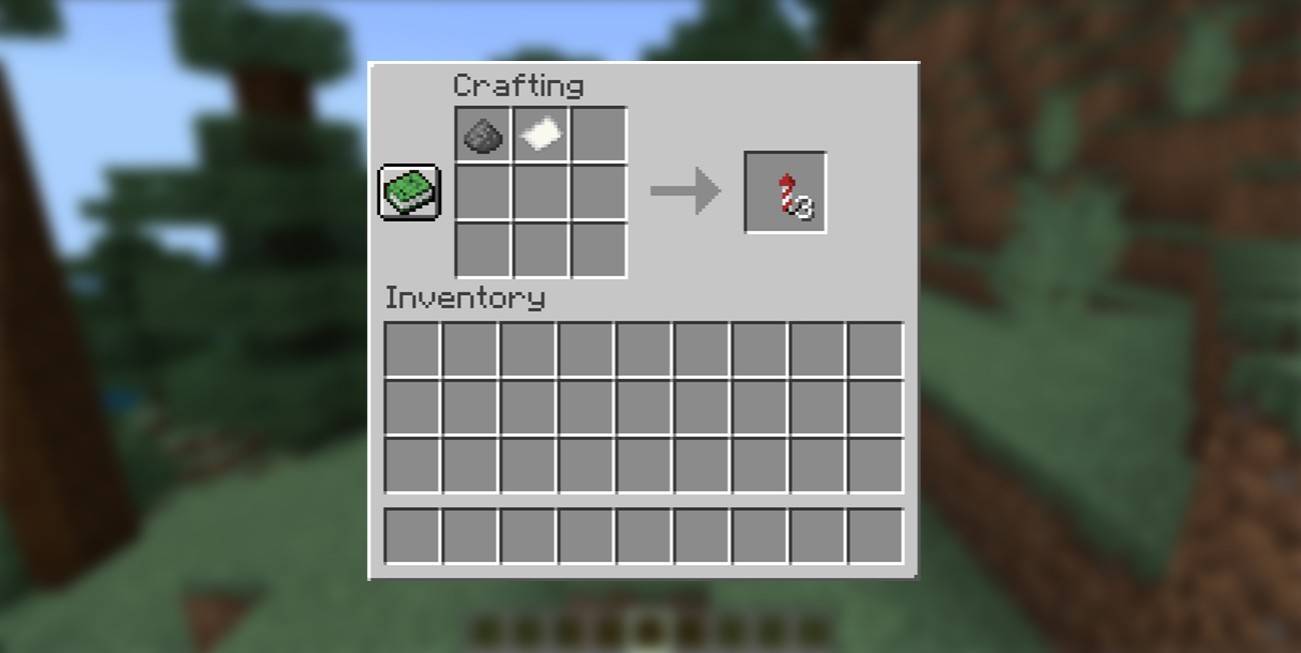 Image: ensigame.com
How to Upgrade and Repair Elytra
To extend the life of your Elytra and enhance their performance, consider the following methods:
Using Anvil
To repair Elytra, place an Anvil, then right-click to open it. Place the Elytra in the left slot and leather in the right slot. Once the repair is complete, retrieve your restored Elytra from the right slot.
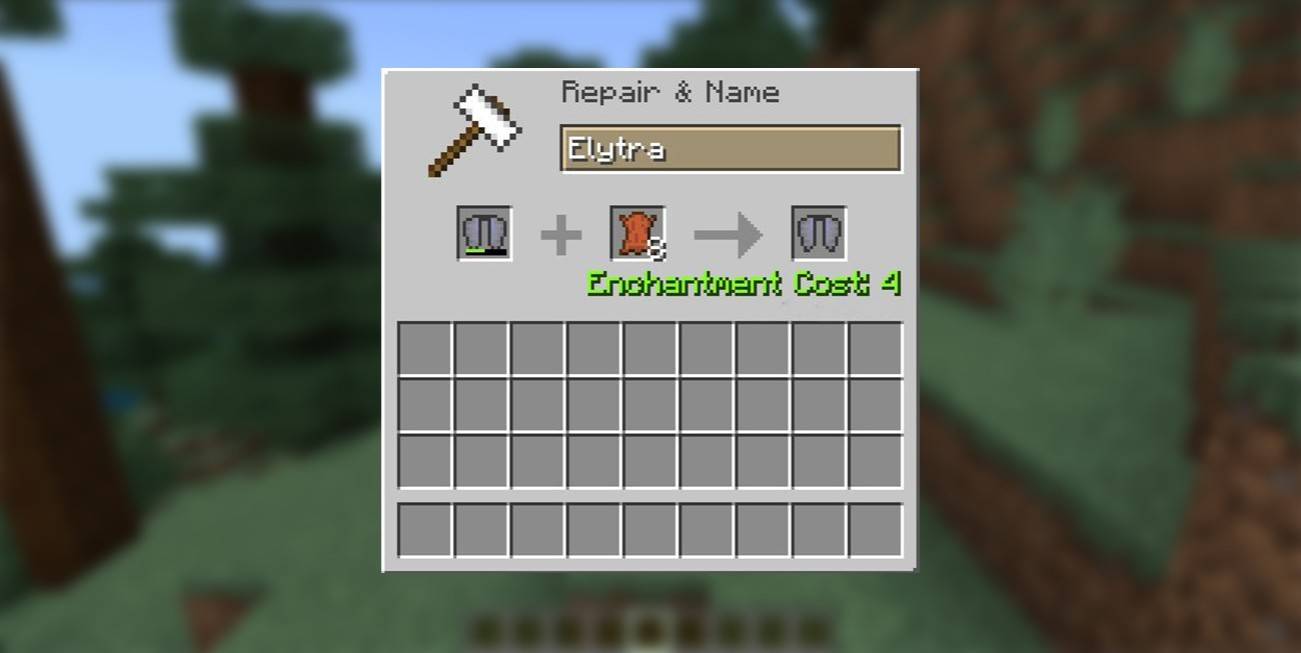 Image: ensigame.com
Using the Mending Enchantment
For automatic durability restoration, apply the Mending enchantment to your Elytra. Obtain an Enchanted Book with Mending from chests, fishing, or trading, then use an Enchanting Table or Anvil to apply it. With Mending, your Elytra will repair itself as you collect experience points.
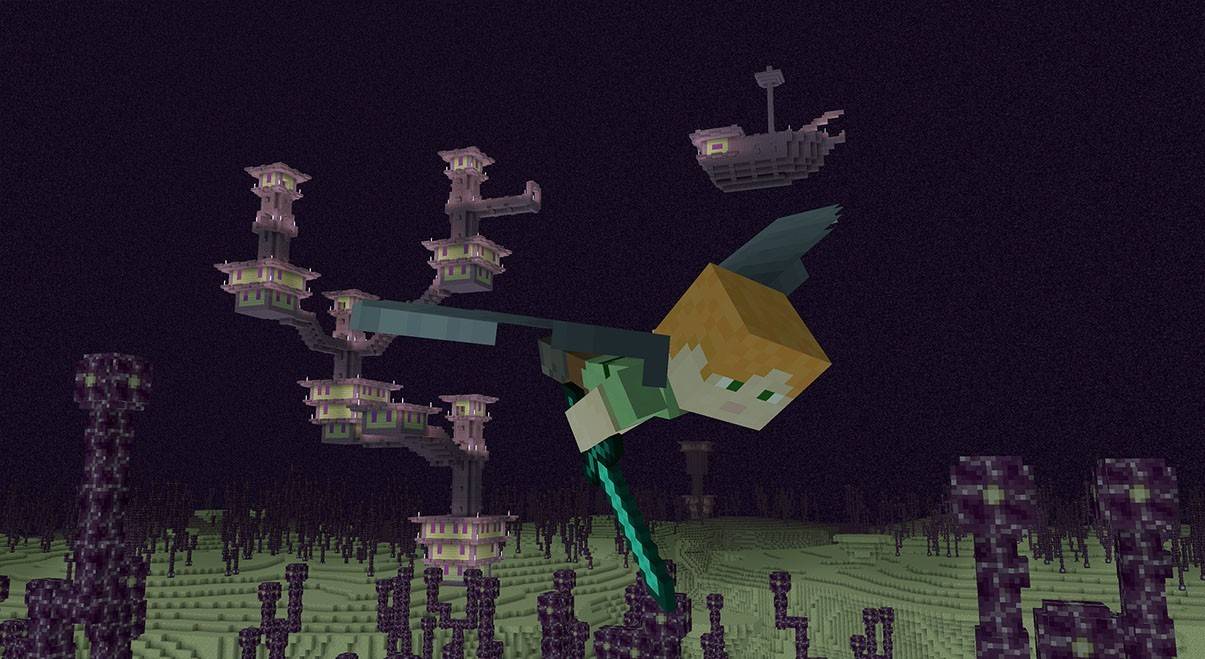 Image: ensigame.com
Elytra in Minecraft not only revolutionizes travel but also adds a thrilling dimension to gameplay. As you master the art of gliding, you'll unlock new ways to explore the vast, cubic world. Equip yourself with the necessary resources, and let the skies be your playground!
-
 Tap ButtonChallenge friends in 2-player mode or test your skills solo to beat your high score!Enjoy Tap Button with friends or solo—compete to top your personal best!Explore all exciting game modes!The app is still evolving—stay tuned for new features coming s
 -
 Yemelya Riding StoveNavigate the bumpy roads on your wood stove, swerving around obstacles just like Yemelia.Control the wood stove carrying Emelia as you dodge various obstacles.Are you feeling like Emelia today?What's New in the Latest Version 1.5Last updated on Oct 3
 -
 KFuCatSlice through crypto coins, collect rewards, advance through levels, and evade explosive bombs in Kung-FuCat!Step into Kungfu Cat, the ultimate crypto-slicing adventure!Immerse yourself in a thrilling world where your slicing precision translates int
 -
 SCHOOLBOY RUNAWAY - STEALTHEmbark on the Ultimate School Escape Adventure!"You reckless troublemaker! Get back to your studies!" scolded your parents as they grounded you. Now it's time to play the ultimate game of wits - find clever ways to sneak past your watchful parents an
 -
 Payback 2 - The Battle SandboxPayback 2 delivers non-stop action, from intense tank battles to high-speed helicopter races! Challenge your friends in this adrenaline-fueled racing epic. - Vivid, immersive graphics that pull you into the action any time, anywhere. - Epic Vehicles:
 -
 Red Ball 4Roll, jump, and bounce through 75 thrilling levels packed with adventure. Saving the world is no easy task—just look at the number of traps in Red Ball's adventure. - 75+ unique levels: Do your best to outmaneuver the square foes. - Navigate an adven
-
 Sonic Racing: CrossWorlds Characters and Tracks Revealed for Upcoming Closed Network Test
-
 Marvel Rivals Season 1 Release Date Revealed
-
 Honkai: Star Rail Update Unveils Penacony Conclusion
-
 Announcing Path of Exile 2: Guide to Sisters of Garukhan Expansion
-
 Ubisoft Cancels Assassin's Creed Shadows Early Access