

Recharge Drone in R.E.P.O.: Acquisition and Usage Guide

In the chilling universe of *R.E.P.O.*, your survival hinges on the items you manage, dictating whether you progress to the next level or face the dreaded Disposal Arena with your team. Among these crucial tools, Recharge Drones stand out as essential for success, and here’s your guide on how to acquire and utilize them effectively.
What Recharge Drones Do
Within the game, you'll encounter various items at the Service Station, some of which are single-use like Mines and Grenades. Others, however, feature a rechargeable "battery life" that can be restored using Energy Crystals. As you embark on your journey in *R.E.P.O.*, you’ll spot a container-type object in your truck. This container is vital for recharging your weapons or drones, though it requires an Energy Crystal to function.
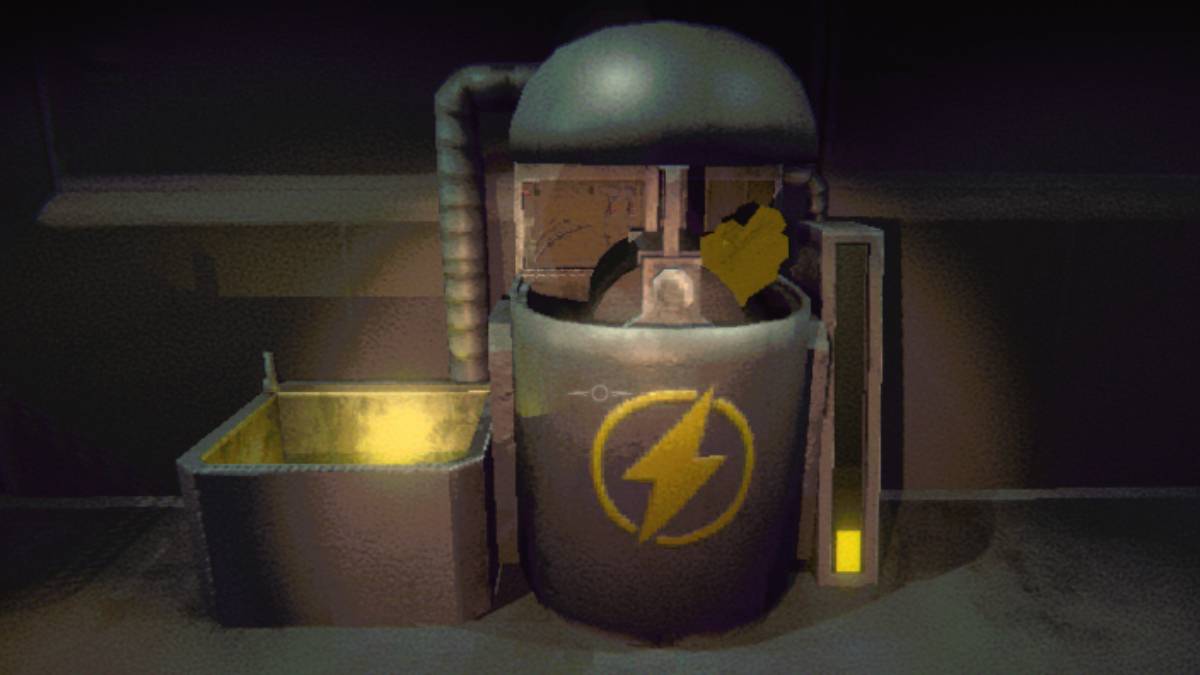 When you buy additional Energy Crystals, they seamlessly integrate into the container, so no worries if they seem to vanish post-purchase. To recharge an item, simply place it in the yellow bucket beside the container, and watch as it regains its vigor. This process is key to keeping your gear in top shape, ready to face the horrors of the next level and its monstrous inhabitants.
However, some levels can be particularly grueling, causing your items to wear down quickly. While you can recharge them at designated spots with Energy Crystals, you might not always have access to your truck. That’s where the Recharge Drone becomes invaluable, offering on-the-go energy management for your items.
How to Get and Use the Recharge Drone in R.E.P.O.
The Recharge Drone, like other upgrades and items, is available at the Service Station, which you visit after successfully completing a level. This is your chance to equip yourself with tools that can make subsequent challenges less daunting – provided you have the funds.
Given that items at the Service Station spawn randomly, it might take several visits for the Recharge Drone to appear. Patience is key, as it will eventually show up, typically costing between $4-5K. Once purchased, this compact cube occupies one of your inventory slots, so choose to assign it to slot 1, 2, or 3.
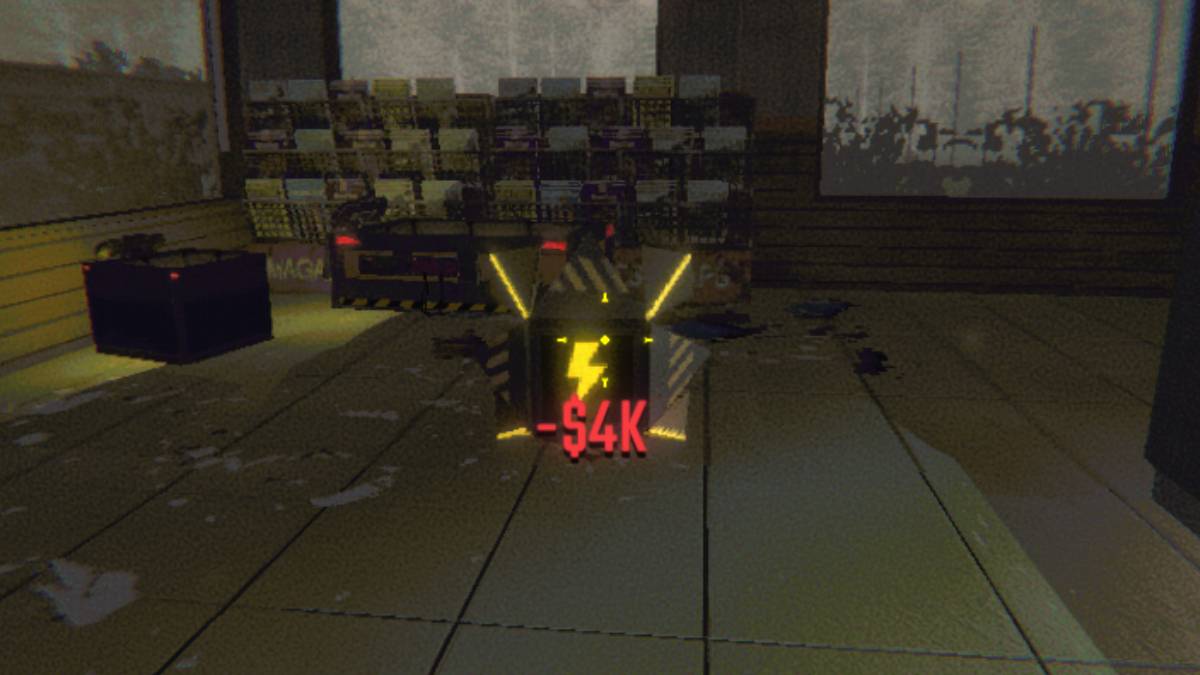 You can monitor your item's condition via the battery bar beneath it. To recharge, select the drone, press 'E' to activate it, and then attach the depleted item. Let the Recharge Drone work its magic. When the drone runs out of power, you can rejuvenate it using Energy Crystals at your truck's container.
Now that you're equipped with knowledge on where to find and how to effectively use the Recharge Drone in *R.E.P.O.*, you're better prepared to navigate the horrors that await.
-
 NumXNumX is a vibrant party game featuring a collection of mini-games where you control a straightforward cube character.NumX makes its return!After two years, NumX returns with a refined edition. Revisit classic mini-games and explore fresh additions, p
 -
 Flipper Knight: Table FlippingMaster the art of table flipping! Challenge yourself with rapid stacking and lightning-fast reflexes!Test your speed and precision in this thrilling table-flipping adventure, featuring charming hand-drawn graphics and smooth animations. Simple enough
 -
 Against The Wind ForeverGuide Rico through thrilling obstacles in this exciting adventure. Play now and help him survive against all odds!- Navigate Rico through this challenging course to reunite with her cubs!- Beware of the treacherous wind - it will stop at nothing to k
 -
 Merge Bullet Army Game Run 3DPrepare for Action in Merge Bullet Army Game RunCommand your bullet forces with precision in this strategic 3D shooter. As the leader of an elite ammunition unit, you'll combine firepower through smart merging tactics to create unstoppable weapon com
 -
 Merge & Battle Spinner GameExperience intense spinner battles in Merge & Battle Spinner GameDive into "Merge & Battle Spinner Game," a captivating merging adventure where you fuse weaker spinners to craft unstoppable champions. Challenge fierce robotic opponents in high-stakes
 -
 Quick DeliveryDeliver packages at lightning speed in this fast-paced adventure! Quick Delivery is an exciting arcade game where players race against time to complete deliveries across diverse maps. Transport packages, meals, or passengers to their destinations eff
-
 Sonic Racing: CrossWorlds Characters and Tracks Revealed for Upcoming Closed Network Test
-
 Marvel Rivals Season 1 Release Date Revealed
-
 Honkai: Star Rail Update Unveils Penacony Conclusion
-
 Announcing Path of Exile 2: Guide to Sisters of Garukhan Expansion
-
 Ubisoft Cancels Assassin's Creed Shadows Early Access