


| App Name | Audio Converter (MP3 AAC OPUS) |
| Developer | Bdroid Team |
| Category | Music |
| Size | 30.8 MB |
| Latest Version | 16.7 |
| Available on |


>
Effortlessly convert audio files (MP3, AAC, WMA, OPUS, OGG, M4A, FLAC) and trim audio clips quickly and easily.
Audio Converter is a fast and powerful Android application designed to convert and trim audio files.
Convert to MP3, change formats, extract audio from video, trim audio files, and create custom ringtones for free.
With just a few taps, our Audio Converter lets you transform music formats. Save your audio in various quality levels including 8 kbps, 16 kbps, 64 kbps, 128 kbps, 192 kbps, 256 kbps, and 320 kbps. You can now easily convert thousands of audio files and add them to your personal music collection.
No account registration required. Simply select the audio file you want to convert, choose your preferred format, and tap "convert" to begin the process.
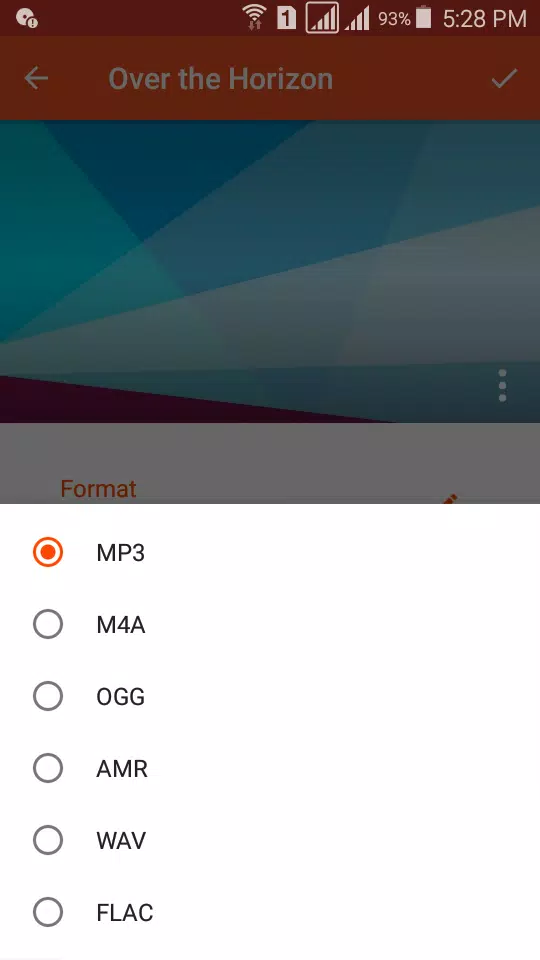
We support conversion between all major audio formats. You can freely convert audio to MP3, AAC, M4A, OGG, AMR (AMR-NB and AMR-WB), OPUS, WAV, FLAC, WMA, AC3 formats, and more without restrictions or fees.
Audio Converter enables you to transform music between any formats and extract your favorite segments, which you can then share with friends.
Create custom ringtones for your device, convert any audio file, build high-quality music albums to enjoy anytime, and share your creations through social platforms like WhatsApp, SoundCloud, and Facebook. You can even combine your audio clips with video content.
Audio Converter
● Easily convert between any audio formats
● Extract audio from video files and convert video to audio
● Support for various audio formats including MP3, AAC, M4A, OGG, AMR (AMR-NB and AMR-WB), OPUS, WAV, FLAC, WMA, and more
● No duration limitations
● Multiple output formats supported including MP3, AAC, M4A, OGG, AMR (AMR-NB and AMR-WB), WAV, FLAC, WMA, OPUS, AC3
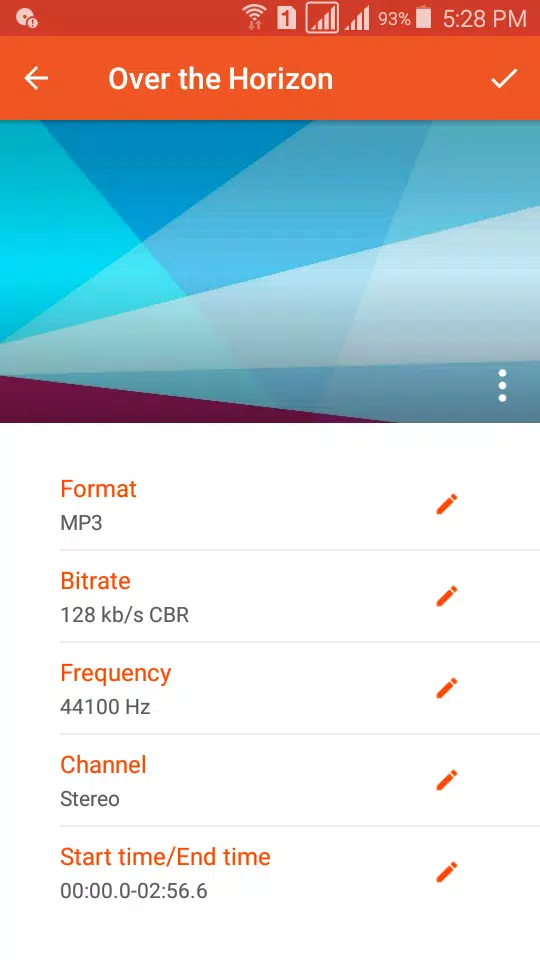
● Adjust audio settings including bitrate, sample rate, and channel configuration
● Multiple bitrate options: 8 kbps, 16 kbps, 24 kbps, 32 kbps, 64 kbps, 128 kbps, 160 kbps, 192 kbps, 256 kbps, and 320 kbps
● Support for VBR, CBR, and ABR encoding methods
● Adjustable sample rates: 8000 Hz, 16000 Hz, 22050 Hz, 44100 Hz, 48000 Hz
● Support for various audio channels: Stereo, Mono, 3.1, 5.0, 5.1, 7.0, and 7.1
● Add custom cover art (MP3 format)
● Trim audio clips before and after conversion
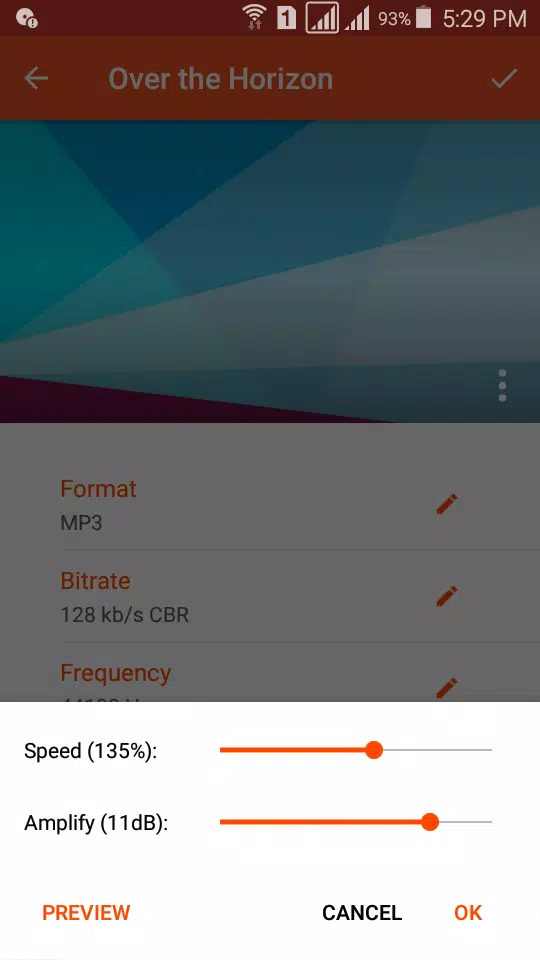
● Adjust playback speed before converting
● Amplify audio levels before conversion
● Share converted music with friends across various social media platforms
● Upload songs directly to Google Drive, Dropbox, and SoundCloud
● Edit music metadata (Title, Artist, and Album)
● Convert unsupported formats like OPUS and WMA to Android-compatible formats like MP3 and M4A while preserving the original audio quality.
Audio Cutter
● Support unlimited audio formats including MP3, AAC, OGG, OPUS, and more
● Fast processing with precise editing
● No duration restrictions
● Save trimmed audio as Music, Alarm, Notification, or Ringtone
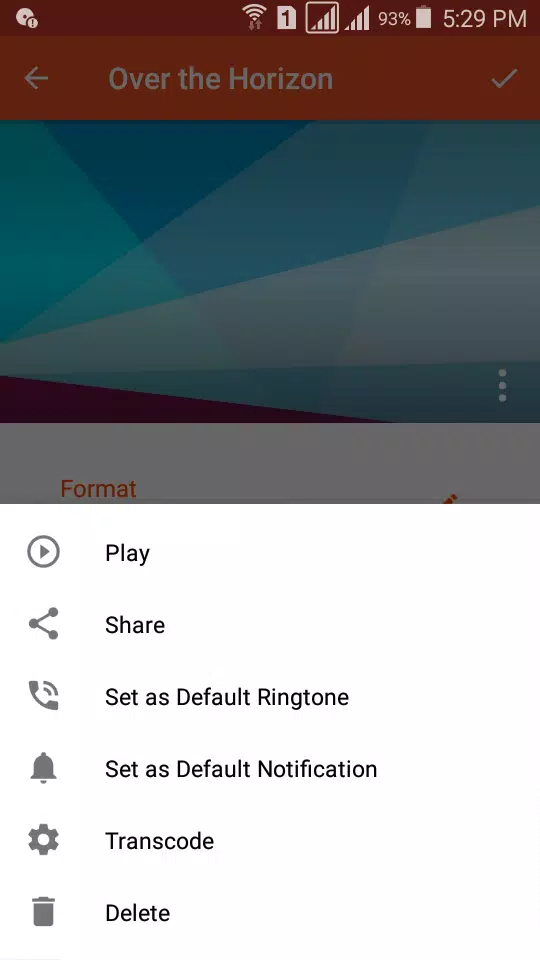
● Play and share audio clips
● Set audio clips as default notifications on your device
● Set audio clips as default ringtones for incoming calls
● Simple and user-friendly interface
Audio Converter is the premier audio format converter for Android - simple, powerful, and completely free.
We've designed our application to meet all your music editing and conversion needs.
We welcome your suggestions and questions to help us continuously improve our application.
For any suggestions or questions, please contact us at [email protected].
-
1Block Wars Survival Games
-
2Ben 10 A day with Gwen
-
3Slave Hunter
-
4The Lewd House: Helping Hand [v0.1.1]
-
5Nymphomania Idle Brothel
-
6Mesugaki-chan Wants to Make Them Understand
-
7Grow Muscles:Gym Game
-
8University Days! – Version 0.4.0 – Added Android Port
-
9Nganya 254 (Matatu Game)
-
10Nymphomania Paradox
-
 Sonic Racing: CrossWorlds Characters and Tracks Revealed for Upcoming Closed Network Test
-
 Marvel Rivals Season 1 Release Date Revealed
-
 Announcing Path of Exile 2: Guide to Sisters of Garukhan Expansion
-
 RAID Shadow Legends: Mythical Champions Tier List Revealed
-
 Honkai: Star Rail Update Unveils Penacony Conclusion
-
 Best Model Kits for Adults in 2025: Ultimate Guide