

Path of Exile 2: How to Use FilterBlade
Quick Links
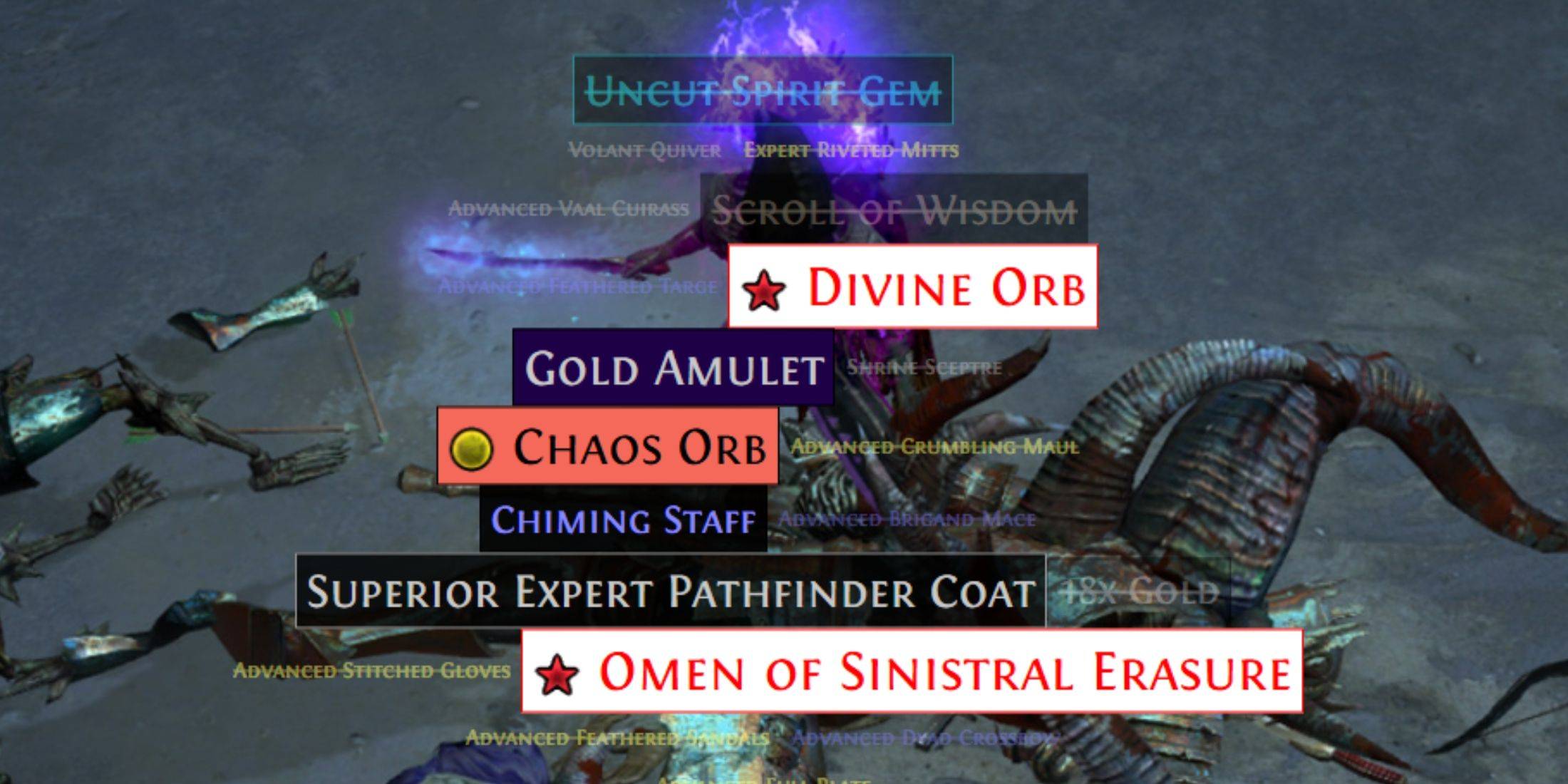
Serious Path of Exile 2 endgame players need a good loot filter. They drastically reduce screen clutter, making mapping manageable and focusing your attention on valuable items. FilterBlade, the popular Path of Exile 1 filter manager, now supports PoE 2. Here's how to use it.
How to Set Up FilterBlade Loot Filters in Path of Exile 2
- Go to the FilterBlade website.
- Choose PoE 2.
- The default NeverSink filter will be selected.
- Adjust the Strictness slider (explained below).
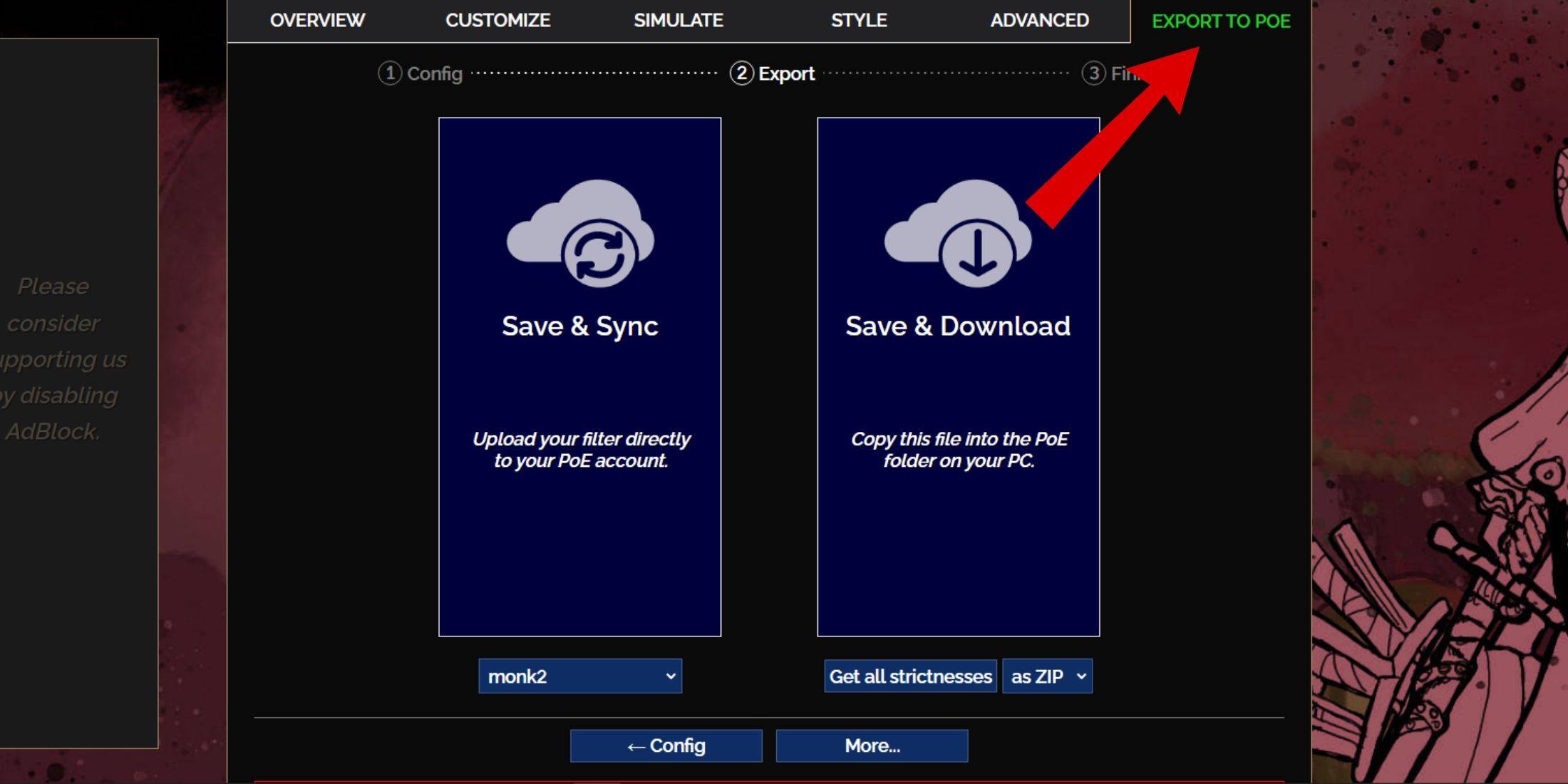
- Go to the "Export to PoE" tab.
- Name your filter.
- Click "Sync" or "Download":
- Sync: Automatically updates your PoE 2 filter with FilterBlade changes.
- Download: Downloads the filter to your PC. Useful for comparing different strictness levels.
- In PoE 2, go to Options -> Game.
- If you synced, select your FilterBlade filter from the Item Filter dropdown.
- If you downloaded, use the folder icon to locate your downloaded filter.
That's it! Your FilterBlade filter is ready.
Which Loot Filter Strictness Should You Choose?
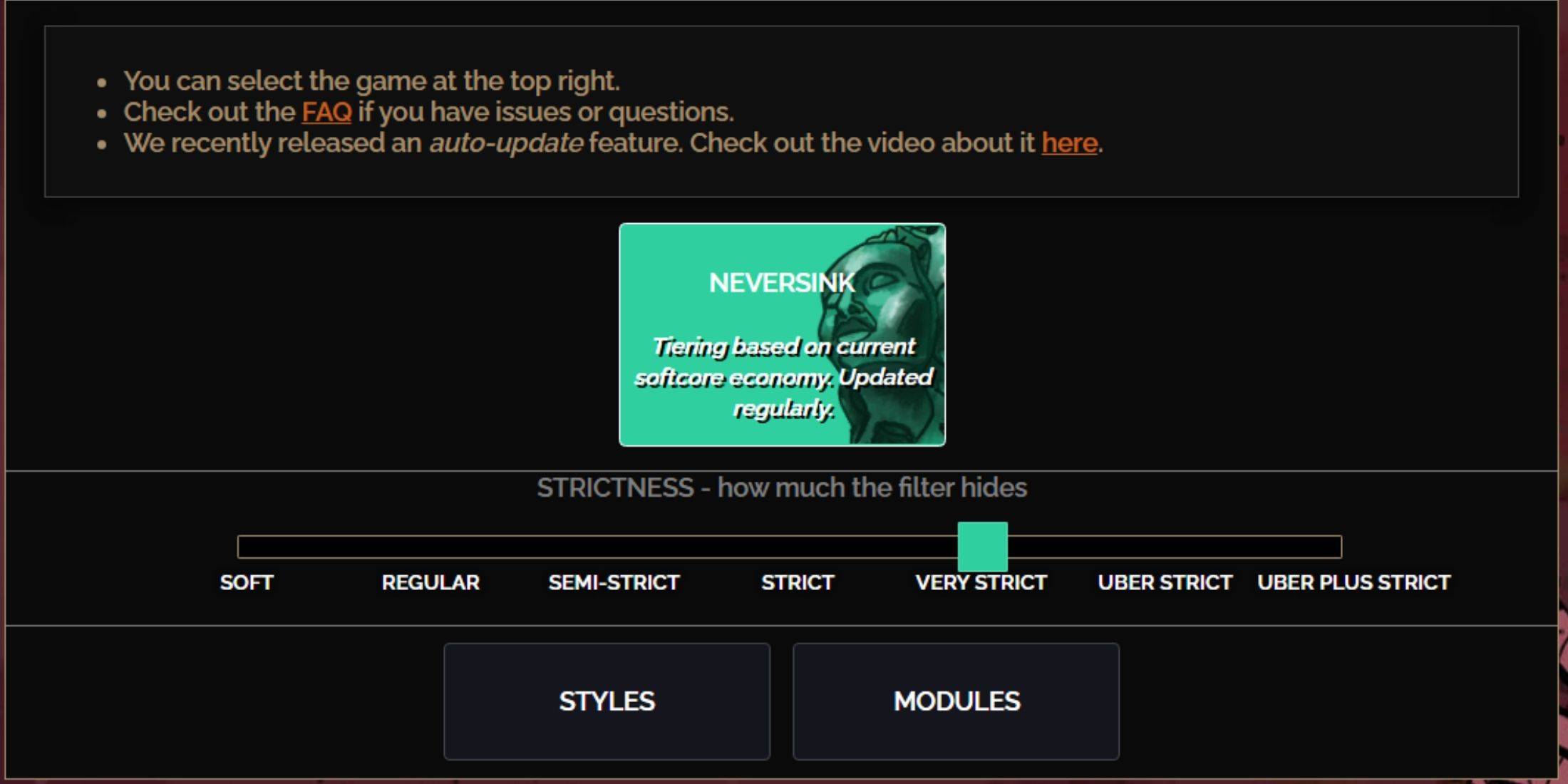
NeverSink's FilterBlade offers seven strictness levels. Choosing the right one is crucial, as it determines what items you see. You can always customize later, but starting with an appropriate level prevents issues.
| Strictness | Effect | Best For |
|---|---|---|
| Soft | Highlights valuable items and materials only. | Act 1-2 |
| Regular | Hides only useless items. | Act 3 |
| Semi-Strict | Hides low-potential/value items. | Act 4-6 |
| Strict | Hides most low-turnover items. | Early Mapping (Waystone 1-6) |
| Very Strict | Hides low-value rares and crafting bases. | Mid-late Mapping (Waystone 7+) |
| Uber Strict | Hides almost all non-tiered rares. | Late Mapping (Waystone 14+) |
| Uber Plus Strict | Hides nearly everything except high-value items. | Ultra Endgame (Waystone 15-18) |
For second or third playthroughs, start with Semi-Strict. Soft and Regular are for fresh league starts.
Pressing ALT (PC) highlights hidden items. FilterBlade reduces the size of highlighted items depending on strictness, making them less visually intrusive.
How to Customize FilterBlade Loot Filter in PoE 2
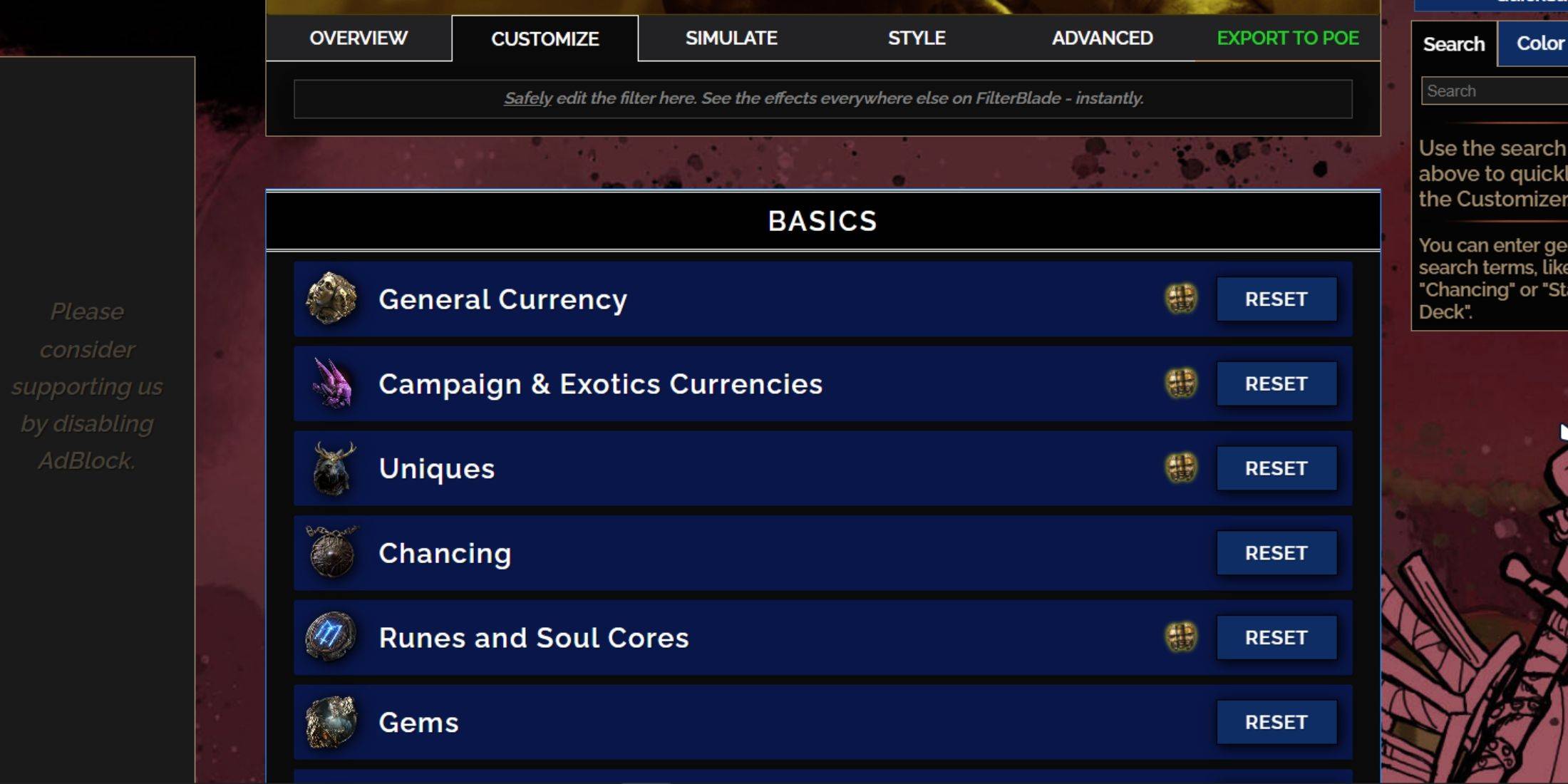
FilterBlade's strength is its easy customization without code editing. You can modify almost anything.
Using the Customize Tab
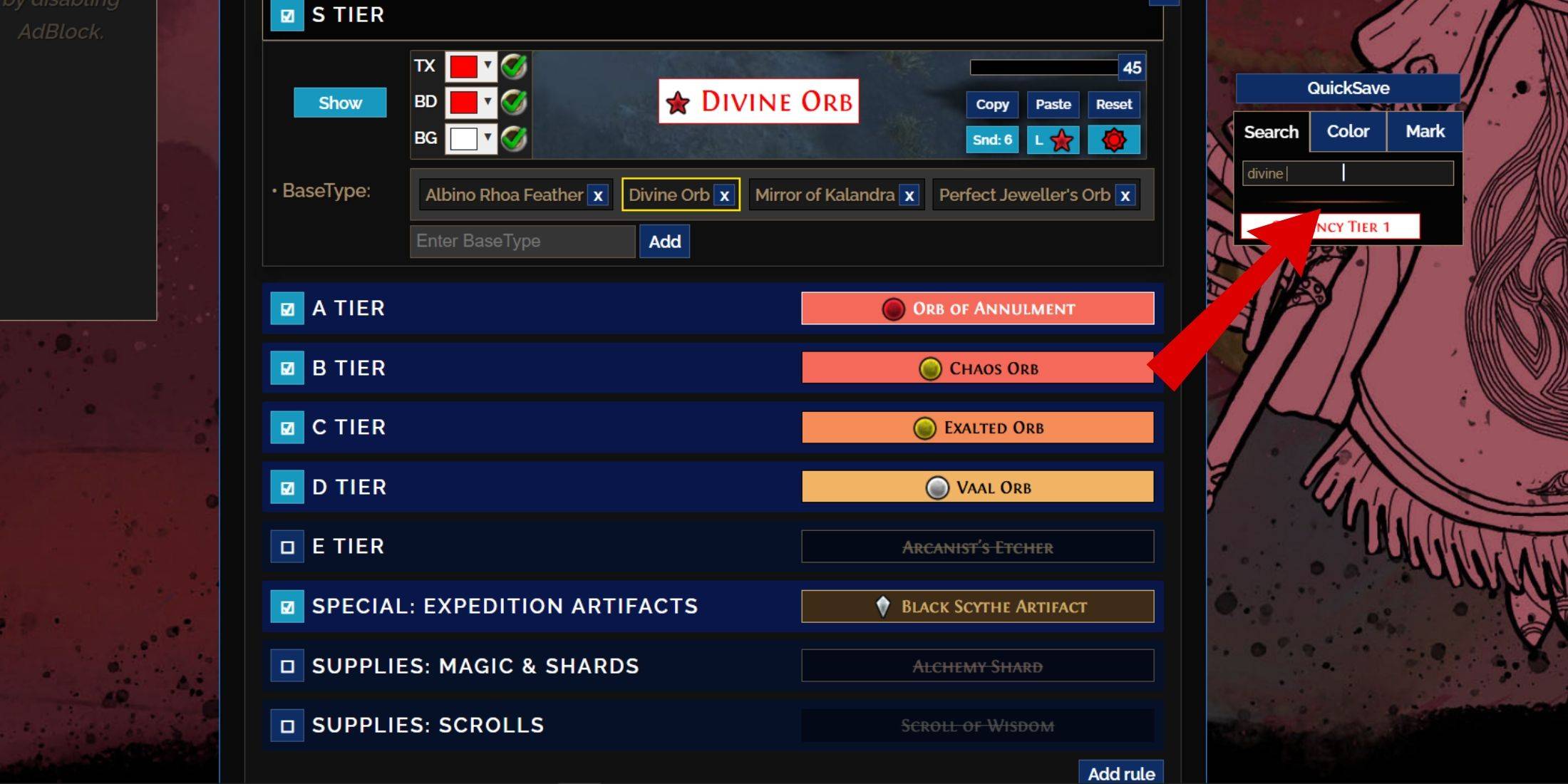
The "Customize" tab lets you modify every item drop. Sections and subsections organize items, allowing for precise adjustments. For example, to change a Divine Orb's appearance, search for "Divine Orb," and adjust its settings. Click the in-game showcase icon to preview sounds.
Changing Colors and Sounds
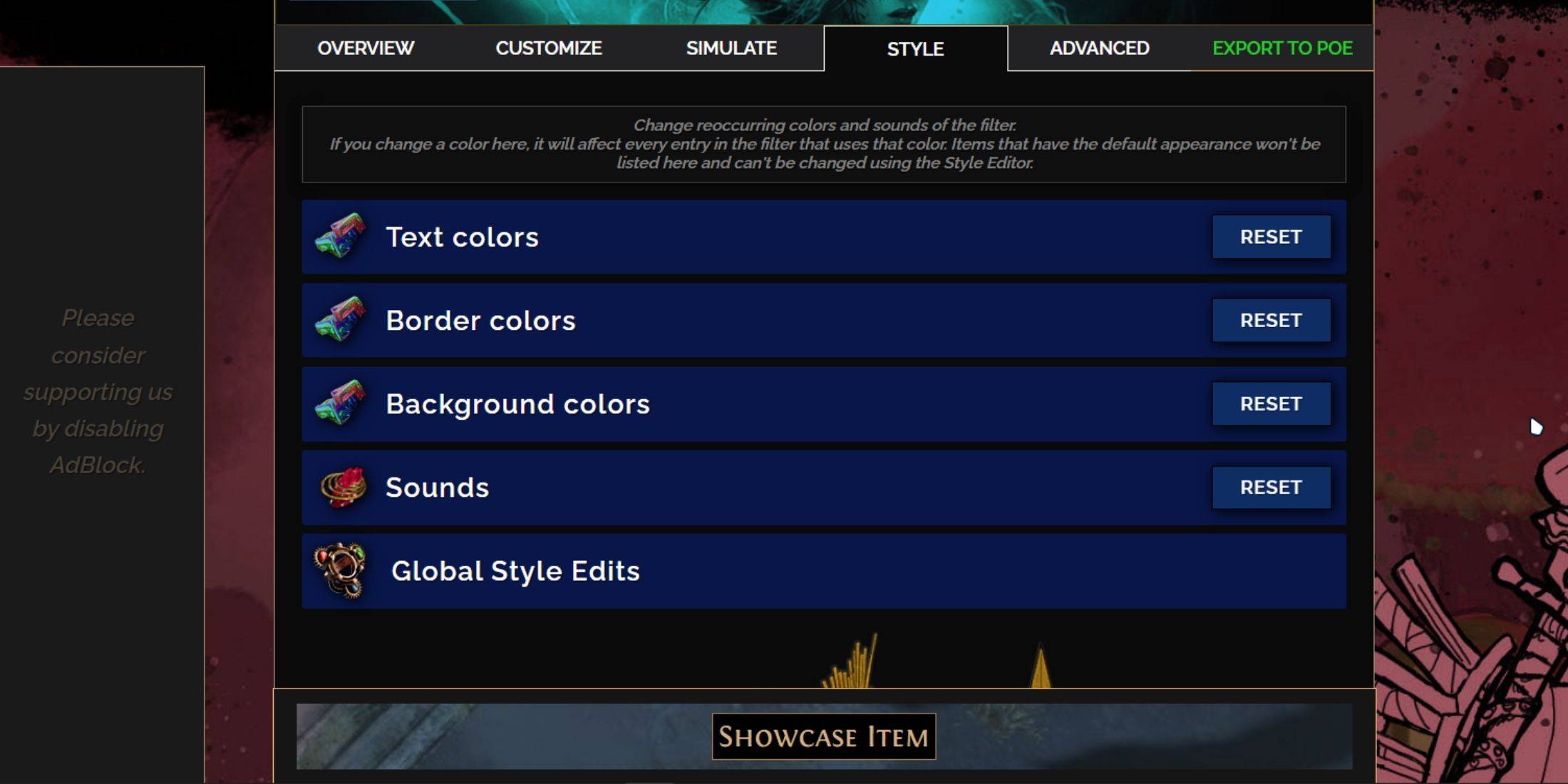
The "Styles" tab lets you change filter-wide text, border, background colors, and sounds. Individual item adjustments are in the "Customize" tab. You can use custom .mp3 sounds or community-created sounds. Experiment freely; you can always reset.
Explore community-made Modules for pre-built visual or auditory changes.
-
 ピオフィオーレの晩鐘 -Episodio1926-Experience "Piofiore's Evening Bell-1926-" on your smartphone today!▼Story[Episodio 1926 -BURLONE-]Set in Burlone, southern Italy, just after the First World War.This city is ruled by three criminal organizations known as the Burlone Mafia.Autumn, 19
 -
 UBCOGo Electric — Embrace Adventure. The perfect companion for your UBCO experience.Take Control with the UBCO AppEnhance your UBCO ride with our essential mobile companion.Customizable Settings: Easily adjust Power and Regenerative Braking to suit your
 -
 PorNutPorNut is an interactive AR wedding app created for Por and Nut's special day. It lets you snap photos with the happy couple, view their wedding videos, and dive into augmented reality games where you rescue the bride from trouble. You can also enjo
 -
 Lotus TeenPatti MikaPoker wordWant a fun and simple game to keep you entertained? The Lotus TeenPatti MikaPoker word game is the perfect choice! Enjoy a smooth, high-performance experience without ads or payment traps. It's a popular free game with millions of players worldwide.
 -
 Relaxing GamesExperience Ultimate Relaxation with Relaxing Game Immerse yourself in the soothing world of Relaxing Game, where you guide a floating ball using a gentle paddle swing to collect rewards. Gameplay Overview "Relaxing Games" offers a tranquil gamin
 -
 Cups CascadeMatch 3 cups to clear the board Match identical cups to remove them. Only cups that are not blocked can be selected. Clear all cups to win. The game ends if there are no empty slots left on the cup holder. What's New in the Latest Version 1.2.3Last u
-
 Marvel Rivals Season 1 Release Date Revealed
-
 Honkai: Star Rail Update Unveils Penacony Conclusion
-
 Announcing Path of Exile 2: Guide to Sisters of Garukhan Expansion
-
 Sonic Racing: CrossWorlds Characters and Tracks Revealed for Upcoming Closed Network Test
-
 Ubisoft Cancels Assassin's Creed Shadows Early Access