

如何修複公共漫威競爭對手錯誤代碼
Feb 26,25(1 年前)
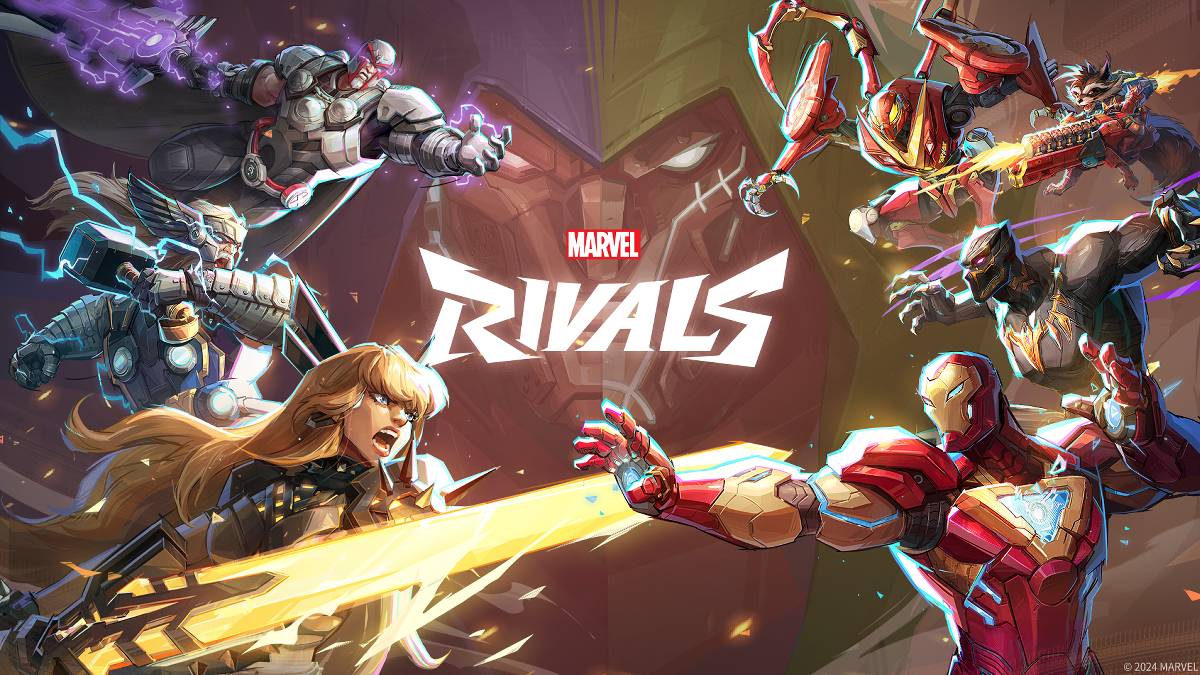
故障排除 漫威競爭對手 錯誤代碼:綜合指南
不幸的是,遇到錯誤和錯誤代碼在現代遊戲中很常見, Marvel競爭對手 也不例外。本指南為常見的錯誤代碼提供了解決方案,這些解決方案可能會阻止您播放或導致崩潰,滯後和斯托克。
常見 奇跡競爭對手 錯誤代碼和解決方案
下表詳細介紹了各種錯誤代碼,它們的描述和潛在解決方案:
| Error Code | Description | Solution |
|---|---|---|
| Error 4 | Frequently appears on PlayStation, but may also affect the PC version. | Check internet connection; Verify server status; Relaunch *Marvel Rivals*. |
| 99% Loading Bug | Game freezes at 99% during match loading. | Check internet connection; Close background applications; Adjust Network Diagnostic Settings. |
| Error 211 | Common on Steam, indicating connection problems. | Check server status; Disable third-party server blockers; Check internet connection; Verify game files. |
| Error 10 | Appears on launch, usually due to poor internet connection. | Check internet connection; Relaunch *Marvel Rivals*; Check server status. |
| Error 220 | Potentially caused by server location or firewall settings. | Modify security firewalls; Adjust DNS settings; Disable third-party server blockers; Use a VPN. |
| Error 21 | Sometimes encountered by Xbox players on launch. | Restart console; Reset router; Check server status; Disable IPv6 on internet connection; Use a VPN. |
| Error 5 | Afflicts PlayStation players; indicates high ping and packet loss. | Address high ping and packet loss (check internet connection, network diagnostics). |
| Error 26 | Prevents gameplay. | Check internet connection; Disable VPN; Clear cache files; Verify game files. |
| Packet Loss Error | High ping and packet loss due to latency spikes. | Check internet connection; Close background applications; Adjust Network Diagnostic Settings. |
| DX12 Not Supported | Game won't launch due to DX12 incompatibility (often Windows update or GPU issues). | Update Windows; Update GPU drivers; Reinstall *Marvel Rivals*. |
| Error Code 258 | Login failure via PC launcher (common on Epic Games Store). | Check Epic Games Store for troubleshooting; Verify game files. |
| Error LS-0014 | Occurs on Epic Games Store. | Check antivirus software; Verify game files; Reinstall the game. |
| Igniting the Timestream | Encountered during matchmaking. | Check server status; Restart the game; Check internet connection. |
| Version Mismatch | Appears after game updates. | Verify game files; Check for updates; Check internet connection. |
| Out of Video Memory | Prevents gameplay due to insufficient VRAM. | Check VRAM usage; Update GPU drivers; Close background applications. |
| Blue Screen Error | A critical system error; relatively rare. | Clean install GPU drivers; Lower graphics settings; Run Windows Memory Diagnostic Tool. |
- Marvel競爭對手*可在PS5,PC和Xbox係列X | S上使用。
發現更多
-
 Pinwheel體驗獨一無二的紙製風車模擬器! 我們非常興奮地推出一款真正獨特的紙製風車模擬器!現在您可以在手機上輕鬆欣賞大量逼真的紙製風車。遊戲提供9種不同類型的紙製風車可供選擇。挑選您最喜愛的設計,立即展開冒險! 最新版本 1.4 的更新內容 最後更新於 2024 年 10 月 20 日 本次更新包含一些微小的錯誤修復與整體效能優化。立即安裝或更新至最新版本,親自體驗吧!
 -
 Flaine Carroz 2ccam Outdoor探索 Flaine Carroz 2ccam Outdoor 應用程式,開啟一段遠離日常壓力的輕鬆生活。掌握放鬆藝術,享受完美的午睡地點、風景如畫的自然漫步,以及取得當地產品的內部小撇步。熱愛歷史文化的人,可將乏味的觀光行程與枯燥的海報,替換成我們令人興奮的冒險遊戲。深入體驗尋寶活動、定向越野課程、地理標籤遊戲(Geocaching),以及 Explor Games®。喜愛運動的人可透過峽谷攀岩、騎自行車、健行與步行,提升活動體驗,釋放體能。無論您追求刺激或寧靜,都能在山谷與山嶺之間找到理想平衡
 -
 Mega Shows體驗最棒的電影中心,Mega Shows 是您的首選應用程式,提供最新電影資訊。瀏覽由 TMDB.org 提供資料的完整電影資料庫與圖片,透過整合的 TMDb API 及時掌握最新上映作品。若有內容移除之詢問,請透過電子郵件與我們聯繫。 Mega Shows 主要特色: > 廣泛的電影收藏:Mega Shows 精心整理大量電影,從最新大片到永恆經典應有盡有。無論您偏好動作、愛情、喜劇或其他類型,皆可找到符合個人喜好的電影。 > 直覺易用介面:以簡潔為設計核心,應用程式擁有直覺且乾淨的版面。輕鬆
 -
 Comic Reader +厭倦了廣告不斷打斷你的漫畫閱讀?歡迎來到《漫畫閱讀器 +》!這款出色的應用程式不僅讓你輕鬆順暢地閱讀最喜愛的漫畫,還能深入解讀角色內涵。僅限 Android 平台,CR+ 透過提供無縫整合的閱讀平台,大幅提升漫畫閱讀體驗。只需設定你的漫畫資料夾目錄,即可透過內建的檔案瀏覽器與排序工具,開始探索。告別干擾,迎接完全沉浸式的漫畫閱讀之旅,《漫畫閱讀器 +》讓你重拾閱讀樂趣! 《漫畫閱讀器 +》主要特色: > 無廣告閱讀:暢享無廣告干擾的漫畫閱讀體驗。 > 角色資訊詳解:深入探索角色的詳細背景故事,豐
 -
 Pik TV - Show Live TV MoviesPik TV - 播放直播電視電影是您的一站式娛樂中心,輕鬆掌握多元內容。無論是實況板球賽事、免費電影、電視劇集或獨家網絡節目,此應用程式應有盡有。其直覺式設計搭配內建影片播放器等多功能,確保您的娛樂從不中斷。無論您喜愛寶萊塢大片、好萊塢熱門影集,還是地區性電影,總有一款適合您。立即放鬆身心,度過充滿電影、節目與實況板球轉播的精彩周末。Pik TV - 播放直播電視電影之特色:❤ 革命性內容庫:享受豐富多樣的娛樂體驗——免費電影、電視劇集、網絡影集與實況板球賽事,全部整合於單一應用程式之中。❤
 -
 Blockash尋找一款既有趣又引人入勝的方塊益智遊戲,來鍛鍊大腦並放鬆身心?Blockash 絕對是您的完美首選!其直覺式的操作與創新的寶石連線機制,帶來流暢且極具吸引力的遊戲體驗,保證讓您樂在其中數小時。不只是一款減壓良伴,更可訓練您的策略思維。準備好投入遊戲了嗎?立即下載,搶先清除棋盤——成為頂尖益智大師! Blockash 特色: 創新寶石連線玩法:享受富有創意且引人入勝的遊戲過程,透過策略性地連接並消除寶石,順利通過每一關。 簡單操作:輕鬆滑動與點按即可上手,操作直覺,無論年齡或技術水平,人人都能快速
熱門下載




